HRMS

Explore HRMS software solutions for payroll, attendance, compliance, employee management, and workforce automation.

HRMS

EHRMSNext HRMS for IT Companies

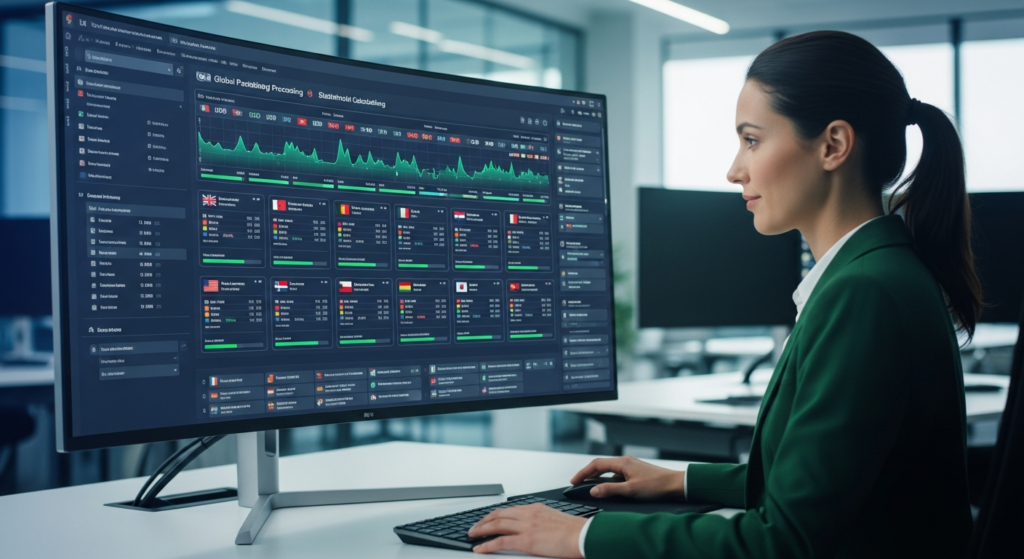
EHRMSNext HRMS for IT Companies HRMS for IT companies is a workforce management system designed to support hybrid and remote teams, manage project-based workforces, automate payroll, and ensure compliance across distributed technology organizations. EHRMSNext HRMS for IT Companies explains how technology organizations can manage distributed teams, improve workforce visibility, and automate HR operations while supporting agile and project-driven work environments. Who This Is For IT companies with remote, hybrid, or global teams HR leaders managing fast-growing tech workforces Operations and finance teams overseeing payroll and compliance Summary: EHRMSNext helps IT companies manage hybrid teams, automate HR processes, and gain real-time visibility into workforce performance and costs. Common HR Challenges in IT Companies Managing remote and hybrid workforces Tracking attendance and utilization for project-based teams Payroll complexity across locations and countries High employee attrition and frequent onboarding Limited visibility into workforce productivity How EHRMSNext Supports IT HR Operations Supports remote, hybrid, and distributed IT teams Tracks attendance, leave, and work patterns across projects Automates payroll and statutory compliance Provides self-service access for employees and managers Delivers dashboards for workforce analytics and utilization Key Outcomes for IT Organizations Improved workforce visibility and productivity Accurate payroll and compliance across locations Reduced HR administrative workload Better employee experience and engagement Implementation Approach Assessment of IT workforce structure and work models Configuration of attendance, payroll, and compliance rules Integration with HR, payroll, and reporting modules Phased rollout with employee onboarding and training FAQs What is HRMS for IT companies? HRMS for IT companies is software that helps technology organizations manage HR, payroll, compliance, and distributed workforces. Can HRMS manage remote and hybrid IT teams? Yes. EHRMSNext supports remote, hybrid, and global IT workforces. Is HRMS suitable for project-based IT work? Yes. It helps track attendance, utilization, and workforce data across projects. Does HRMS support payroll for IT companies? Yes. EHRMSNext automates payroll, tax calculations, and compliance. Who should use HRMS in IT organizations? IT companies, software firms, and technology service providers benefit most from HRMS.

HRMS

EHRMSNext Pricing

EHRMSNext Pricing EHRMSNext pricing is based on workforce size, selected HR modules, and deployment needs, offering flexible plans for SMBs, growing companies, and large enterprises. EHRMSNext Pricing explains how organizations can choose a scalable HRMS pricing model that aligns with their workforce complexity, compliance requirements, and operational goals. Who This Pricing Is Designed For Small and mid-sized businesses adopting HR automation Growing organizations scaling payroll and workforce operations Enterprises requiring advanced compliance and reporting Pricing at a Glance: EHRMSNext offers flexible pricing based on employee count, modules selected, and implementation scope—ensuring you only pay for what you use. How EHRMSNext Pricing Works Pricing scales with workforce size Modules can be selected based on business needs Plans support SMBs, multi-location teams, and enterprises Implementation scope influences final pricing Key Factors That Influence Pricing Number of employees and locations Required HR, payroll, and compliance modules Integration and customization requirements Data migration and onboarding support What’s Included Across EHRMSNext Plans Core HR and employee data management Attendance, leave, and payroll automation Compliance tracking and audit-ready reports Employee self-service and dashboards Why Flexible Pricing Matters for HRMS Avoid paying for unused features Scale pricing as your workforce grows Align HRMS investment with business ROI Support future expansion without platform changes Next Steps to Get Exact Pricing Review your workforce size and HR requirements Select required modules and compliance needs Book a personalized pricing walkthrough FAQs How is EHRMSNext pricing calculated? Pricing is based on workforce size, selected modules, and implementation scope. Is EHRMSNext pricing per employee? Yes. Pricing typically scales with the number of employees using the platform. Does EHRMSNext offer pricing for SMBs? Yes. Flexible plans are available for small and mid-sized businesses. Are there hidden costs in EHRMSNext pricing? No. Pricing is transparent and aligned to selected features and services. Can pricing scale as my organization grows? Yes. EHRMSNext pricing is designed to scale with workforce growth.

HRMS

Why Switch to EHRMSNext

Why Switch to EHRMSNext Organizations switch to EHRMSNext to replace manual or fragmented HR systems with a single platform that automates payroll, compliance, attendance, and workforce management while improving visibility and control. Why Switch to EHRMSNext explains when legacy HR tools start limiting growth, what signals indicate it’s time to upgrade, and how EHRMSNext simplifies HR operations while supporting scale and compliance. Who This Is For Businesses using spreadsheets or disconnected HR tools HR teams struggling with payroll, compliance, and manual work Growing organizations planning to scale operations Summary: Switching to EHRMSNext reduces HR complexity, eliminates manual processes, and provides a unified system for managing people, payroll, and compliance. Common Signs It’s Time to Switch Your HRMS Payroll errors or frequent compliance issues Multiple HR tools that don’t integrate Limited visibility into workforce data Manual HR processes slowing down operations Difficulty scaling HR systems as the company grows Why Organizations Choose EHRMSNext Replaces multiple HR tools with a single unified platform Automates payroll, attendance, and compliance processes Provides real-time visibility into workforce and costs Supports multi-location and growing organizations Improves employee experience through self-service tools Business Outcomes After Switching Reduced HR administrative workload Fewer payroll and compliance errors Improved decision-making with accurate workforce data Greater scalability and operational efficiency Switching & Implementation Approach Assessment of existing HR, payroll, and attendance systems Configuration of EHRMSNext to match company policies Secure migration of employee and payroll data Training and phased rollout to minimize disruption FAQs Why should a business switch to EHRMSNext? Businesses switch to EHRMSNext to eliminate manual HR work, improve compliance, and manage HR operations in a single unified system. When is the right time to switch HRMS software? The right time is when current systems cause payroll errors, compliance risks, or limit business growth. Is switching HRMS risky? No. With proper data migration, testing, and phased rollout, HRMS switching can be done safely. How long does it take to switch to EHRMSNext? Implementation timelines vary by organization size, but most transitions are completed in phases to avoid disruption. Who should consider switching to EHRMSNext? Growing businesses, multi-location companies, and organizations seeking better HR control should consider switching.


HRMS

EHRMSNext Payroll Automation Suite

EHRMSNext Payroll Automation Suite The EHRMSNext Payroll Automation Suite automates salary calculations, statutory deductions, payroll validations, and compliance reporting to ensure accurate, timely, and audit-ready payroll processing. EHRMSNext Payroll Automation Suite helps organizations eliminate manual payroll processing by automating calculations, approvals, and compliance checks across their workforce. Who This Is For HR and payroll teams managing recurring payroll cycles Finance teams focused on payroll accuracy and compliance Organizations scaling workforce and payroll complexity Summary: The Payroll Automation Suite reduces payroll errors, ensures statutory compliance, and accelerates payroll cycles through automated calculations and validations. What Is Payroll Automation? Automated salary and wage calculations Statutory tax and deduction processing Rule-based payroll validations Audit-ready payroll records and reports Challenges in Manual Payroll Processing Calculation errors and rework Delayed payroll cycles Compliance risks and penalties Lack of audit-ready documentation Key Capabilities of the EHRMSNext Payroll Automation Suite Automated salary, allowance, and deduction calculations Statutory compliance enforcement Payroll approval workflows Error detection and validation checks Comprehensive payroll reports and logs How Payroll Automation Improves Accuracy Eliminates manual calculation errors Applies consistent payroll rules Prevents duplicate or incorrect payouts Maintains traceable audit trails Business Outcomes of Payroll Automation Faster payroll processing cycles Reduced compliance and audit risk Lower administrative overhead Improved employee trust and transparency FAQs What is payroll automation software? Payroll automation software automates salary calculations, deductions, compliance checks, and payroll reporting. How does payroll automation reduce errors? It replaces manual calculations with rule-based automated processing and validations. Is payroll automation compliant with labor laws? Yes. The system enforces statutory rules and maintains audit-ready records. Can payroll automation scale with workforce growth? Yes. Automated payroll systems are designed to scale with increasing employee counts. Who should use payroll automation software? Organizations with recurring payroll cycles or complex compliance requirements benefit the most.

HRMS

How EHRMSNext Reduces Payroll Costs

How EHRMSNext Reduces Payroll Costs EHRMSNext reduces payroll costs by automating payroll calculations, eliminating manual errors, controlling overtime, enforcing compliance rules, and providing real-time visibility into workforce expenses. How EHRMSNext Reduces Payroll Costs explains where payroll expenses typically increase, how inefficiencies create hidden costs, and how automation helps organizations control payroll spend without compromising compliance or employee experience. Who This Is For Organizations facing rising payroll and labor costs HR and payroll teams managing complex pay structures Finance leaders seeking cost control and accuracy Summary: Payroll costs increase due to manual errors, overtime leakage, compliance penalties, and poor visibility. EHRMSNext reduces these costs through automation, controls, and accurate workforce data. Common Payroll Cost Drivers Manual payroll calculations and data entry errors Uncontrolled overtime and attendance mismatches Duplicate or incorrect payroll processing Compliance penalties and rework costs Lack of real-time payroll and labor cost visibility How EHRMSNext Controls Payroll Expenses Automates payroll calculations to eliminate manual errors Integrates attendance and leave data directly with payroll Enforces overtime rules and work-hour limits Applies statutory compliance rules automatically Provides real-time payroll and labor cost dashboards Key Cost-Saving Outcomes Reduced payroll errors and reprocessing effort Lower overtime payouts through accurate tracking Fewer compliance penalties and audit risks Improved budgeting and payroll forecasting Implementation Approach Assessment of current payroll workflows and cost leakages Configuration of payroll rules, policies, and compliance settings Integration of attendance, leave, and payroll modules Phased rollout with validation and payroll testing FAQs How does EHRMSNext reduce payroll costs? EHRMSNext reduces payroll costs by automating calculations, eliminating errors, controlling overtime, and enforcing compliance rules. Can payroll automation reduce overtime expenses? Yes. Automated attendance and overtime controls prevent excess payouts and scheduling inefficiencies. Does payroll automation prevent compliance penalties? Yes. EHRMSNext applies statutory rules automatically, reducing the risk of fines and rework. Who benefits most from payroll cost optimization? Organizations with hourly staff, shift-based teams, or complex payroll structures benefit most. Is payroll cost reduction achieved without affecting employees? Yes. Cost reduction comes from efficiency and accuracy, not from reducing employee benefits or pay.

HRMS

EHRMSNext Attendance Tracking

EHRMSNext Attendance Tracking EHRMSNext attendance tracking records employee work hours, presence, absences, and shifts using automated rules and real-time data, ensuring accurate payroll and compliance-ready workforce records. EHRMSNext Attendance Tracking helps organizations eliminate manual attendance errors by automating time capture, shift rules, and approvals across their workforce. Who This Is For HR teams managing daily attendance and leave records Operations teams tracking shift-based workforces Organizations requiring payroll-ready attendance data Summary: EHRMSNext centralizes attendance tracking, reduces time fraud, improves accuracy, and ensures payroll and compliance alignment. What Is Attendance Tracking? Recording employee clock-in and clock-out times Tracking shifts, overtime, and absences Applying attendance rules automatically Generating payroll-ready attendance data Challenges with Manual Attendance Management Time theft and buddy punching Manual errors and rework Payroll mismatches and disputes Lack of real-time workforce visibility Key Capabilities of EHRMSNext Attendance Tracking Automated clock-in and clock-out capture Shift-based and rule-driven attendance policies Overtime and late-entry controls Leave and holiday integration Attendance dashboards and reports How Attendance Tracking Improves Payroll Accuracy Eliminates manual attendance calculations Ensures accurate overtime computation Prevents incorrect salary payouts Maintains audit-ready attendance logs Business Outcomes of Automated Attendance Tracking Improved attendance accuracy Reduced payroll disputes Lower administrative workload Better workforce planning and control FAQs What is attendance tracking software? Attendance tracking software records employee working hours, presence, absences, and shifts automatically. How does EHRMSNext track attendance? EHRMSNext uses automated rules and real-time data to capture attendance and apply shift policies. Does attendance tracking integrate with payroll? Yes. Attendance data flows directly into payroll calculations to ensure accurate payouts. Can attendance tracking handle shift-based teams? Yes. Shift rules, overtime, and attendance policies can be customized for different teams. Who should use attendance tracking software? Organizations with hourly, shift-based, or large workforces benefit the most.

HRMS

How EHRMSNext Eliminates Attendance Fraud

How EHRMSNext Eliminates Attendance Fraud EHRMSNext eliminates attendance fraud by automating attendance capture, preventing manual manipulation, enforcing attendance policies in real time, and maintaining audit-ready attendance logs. How EHRMSNext Eliminates Attendance Fraud explains how attendance fraud occurs, why manual systems fail, and how automated attendance controls help organizations prevent time theft and payroll leakage. Who This Is For Organizations experiencing attendance manipulation or time theft HR and operations teams managing large or shift-based workforces Finance teams seeking accurate payroll and labor cost control Summary: Attendance fraud increases payroll costs and compliance risk. EHRMSNext prevents fraud through automation, real-time validation, and policy enforcement. Common Types of Attendance Fraud Buddy punching or proxy attendance Manual entry manipulation or backdated changes False check-ins or extended break misuse Unapproved overtime reporting Lack of audit trails for attendance edits How EHRMSNext Prevents Attendance Fraud Automates attendance capture to remove manual inputs Prevents unauthorized attendance edits and overrides Enforces shift rules, work hours, and approval workflows Flags anomalies and irregular attendance patterns Maintains audit-ready logs for compliance and review Key Business Outcomes Reduced payroll leakage and overpayments Improved attendance accuracy and accountability Lower compliance and audit risks Greater trust in attendance and payroll data Implementation Approach Assessment of current attendance processes and fraud risks Configuration of attendance rules and approval controls Integration with payroll and workforce modules Phased rollout with monitoring and validation FAQs What is attendance fraud? Attendance fraud occurs when employees manipulate attendance records to claim unworked hours or overtime. How does EHRMSNext eliminate attendance fraud? EHRMSNext automates attendance tracking, blocks manual manipulation, and enforces attendance policies in real time. Can HRMS prevent buddy punching? Yes. Automated attendance controls prevent proxy or buddy punching by removing manual attendance entries. Does attendance automation reduce payroll errors? Yes. Accurate attendance data directly reduces payroll miscalculations and overpayments. Who benefits most from attendance fraud prevention? Organizations with hourly, shift-based, or distributed workforces benefit the most.

HRMS

EHRMSNext Leave Management System

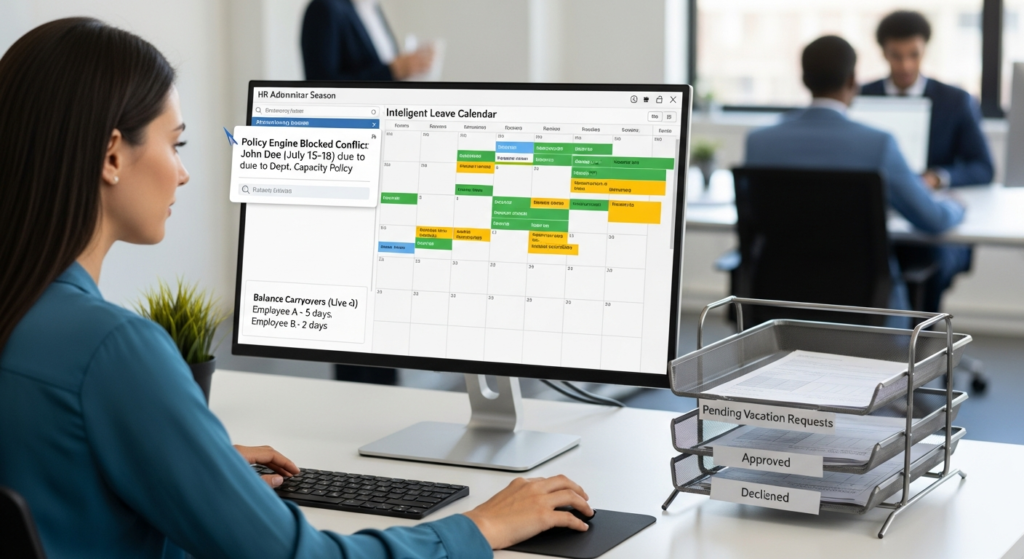
EHRMSNext Leave Management System EHRMSNext Leave Management System automates employee leave requests, approvals, accruals, balances, and policy enforcement, ensuring accurate leave tracking and seamless payroll integration. EHRMSNext Leave Management System helps organizations replace manual leave tracking with automated workflows that improve transparency, compliance, and employee experience. Who This Is For HR teams managing multiple leave policies Managers approving team leave requests Organizations integrating leave with attendance and payroll Summary: EHRMSNext centralizes leave management by automating requests, approvals, accruals, and payroll impact while ensuring policy compliance. What Is a Leave Management System? Automates leave requests and approvals Tracks leave balances and accruals Enforces organization leave policies Integrates leave data with attendance and payroll Challenges with Manual Leave Management Incorrect leave balances and disputes Manual approval delays Policy inconsistencies across teams Payroll errors caused by leave mismatches Key Capabilities of EHRMSNext Leave Management Configurable leave types and policies Automated leave accrual and carry-forward rules Role-based approval workflows Real-time leave balance visibility Leave integration with attendance and payroll How Leave Management Improves Payroll Accuracy Accurate deduction of unpaid leave Automatic adjustment of payable days Reduced payroll disputes Audit-ready leave and payroll records Business Outcomes of Automated Leave Management Improved employee transparency and trust Reduced HR administrative workload Consistent policy enforcement Accurate payroll and compliance readiness FAQs What is a leave management system? A leave management system automates employee leave requests, approvals, balances, and policy enforcement. Can EHRMSNext handle multiple leave policies? Yes. EHRMSNext supports configurable leave types, accruals, and policy rules. Does leave management integrate with payroll? Yes. Leave data integrates directly with attendance and payroll calculations. Can managers approve leave digitally? Yes. Managers can review and approve leave requests through automated workflows. Who should use a leave management system? Organizations with growing workforces or complex leave policies benefit the most.

HRMS

HRMS Implementation Roadmap EHRMSNext

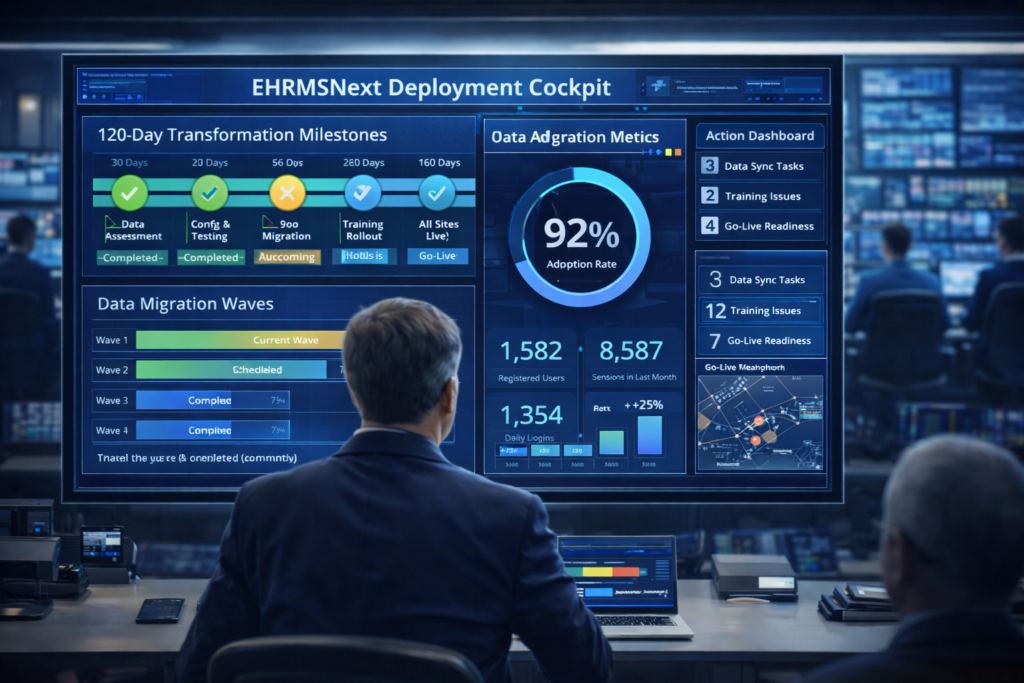
HRMS Implementation Roadmap with EHRMSNext An HRMS implementation roadmap defines the step-by-step phases required to deploy an HRMS—covering planning, configuration, data migration, rollout, and optimization—to ensure successful adoption and long-term value. HRMS Implementation Roadmap with EHRMSNext outlines a structured approach organizations can follow to implement HRMS software efficiently, reduce risks, and accelerate time-to-value. Who This Roadmap Is For HR leaders planning HRMS adoption or replacement Finance and payroll teams involved in system validation IT teams responsible for integrations and data migration Roadmap at a Glance: The EHRMSNext HRMS implementation roadmap follows five phases—planning, configuration, data migration, rollout, and optimization—to ensure a smooth and compliant HRMS deployment. Phase 1: HRMS Planning and Requirement Assessment Define HR, payroll, and compliance objectives Identify stakeholders and implementation owners Audit current HR processes and systems Finalize scope, timelines, and success metrics Phase 2: HRMS Configuration and System Setup Configure HR, attendance, payroll, and leave modules Define workflows, approval hierarchies, and policies Set compliance rules and statutory configurations Prepare user roles and access controls Phase 3: Data Migration and Validation Clean and standardize employee and payroll data Migrate historical and current HR records Validate payroll, attendance, and leave calculations Resolve data inconsistencies and gaps Phase 4: HRMS Rollout and User Training Conduct pilot rollout with selected teams Train HR, managers, and employees Collect feedback and refine configurations Execute phased or full go-live Phase 5: Post-Implementation Optimization Monitor system adoption and usage Optimize workflows and reports Enable advanced analytics and automation Plan continuous improvement cycles Business Outcomes of a Structured HRMS Implementation Reduced implementation risk Faster HRMS adoption across teams Improved payroll and compliance accuracy Higher return on HR technology investment FAQs What is an HRMS implementation roadmap? An HRMS implementation roadmap is a structured plan outlining the phases and steps required to deploy HRMS software successfully. How long does HRMS implementation take? Implementation timelines vary based on organization size and complexity, but typically range from a few weeks to a few months. Who should be involved in HRMS implementation? HR, payroll, finance, IT, and key business stakeholders should participate in the implementation process. What data is required for HRMS implementation? Employee records, payroll data, attendance history, leave balances, and compliance details are commonly required. Why is a phased HRMS rollout important? A phased rollout reduces risk, enables early feedback, and ensures smoother adoption across the organization.

hrms for chemical
HRMS

EHRMSNext Workforce Scheduling

EHRMSNext Workforce Scheduling Workforce scheduling is the process of planning, assigning, and managing employee work hours to ensure optimal staffing, productivity, and compliance. Workforce scheduling software automates shift planning, reduces conflicts, and provides real-time visibility into workforce availability. EHRMSNext Workforce Scheduling explains how organizations can plan employee schedules efficiently using automated tools that align staffing needs with business demand while maintaining compliance and controlling labor costs. Who This Is For HR and operations teams managing shift-based or hourly workforces Managers responsible for workforce planning and coverage Finance teams monitoring labor utilization and overtime costs Summary: EHRMSNext improves workforce scheduling by automating shift planning, enforcing scheduling rules, and providing real-time visibility into workforce availability. Common Workforce Scheduling Challenges Manual and time-consuming schedule creation Last-minute staffing changes and conflicts Overtime overruns and labor cost leakage Lack of visibility into workforce availability Compliance risks related to work-hour regulations How EHRMSNext Improves Workforce Scheduling Automated shift creation and allocation Attendance-linked scheduling for accurate planning Rule-based scheduling to control overtime and rest periods Real-time dashboards for workforce availability Location-wise and department-wise scheduling views Key Outcomes for Organizations Improved workforce coverage and productivity Reduced overtime and scheduling conflicts Better control over labor costs Compliance-ready scheduling records Implementation Approach Review of current workforce scheduling processes Configuration of scheduling rules and policies Integration with attendance and payroll modules Training and phased rollout across teams FAQs What is workforce scheduling? Workforce scheduling is the process of planning and assigning employee work hours to ensure adequate coverage, productivity, and compliance. How does workforce scheduling software help HR teams? It automates schedule creation, reduces conflicts, and provides visibility into workforce availability and labor costs. Can workforce scheduling reduce overtime? Yes. Rule-based scheduling helps control overtime and prevent staffing imbalances. Is workforce scheduling compliant with labor laws? Modern scheduling systems support compliance by enforcing work-hour limits and maintaining audit-ready records. Who should use workforce scheduling software? Organizations with shift-based, hourly, or distributed workforces benefit most from workforce scheduling software.

Scroll to Top