

How to Connect Payroll to QuickBooks (2026 Guide)
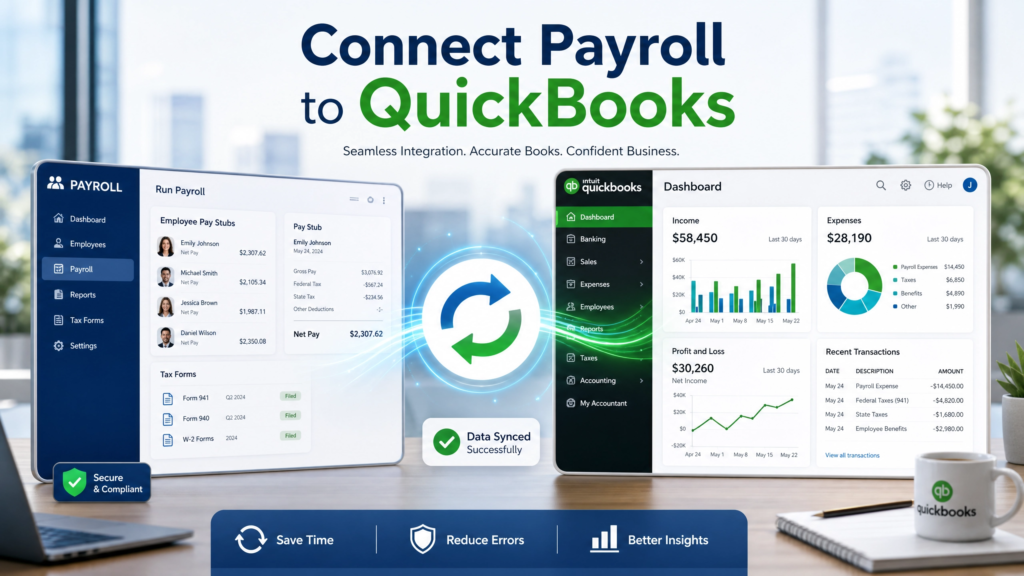
Connect payroll to QuickBooks by integrating payroll software or HRMS platforms with QuickBooks accounting systems to automate payroll journal entries, employee payment records, payroll tax reporting, expense tracking, and workforce accounting synchronization.
Table of Contents
What Is Payroll & QuickBooks Integration?
Payroll and QuickBooks integration connects payroll systems with QuickBooks accounting software to automate workforce financial operations, payroll reporting, employee payment tracking, tax management, and accounting reconciliation workflows.
Businesses increasingly integrate Payroll Software and HRMS Software with QuickBooks to centralize payroll and accounting operations.
Payroll integration typically synchronizes:
- Employee payroll records
- Salary expenses
- Payroll tax deductions
- Payroll journal entries
- Employee reimbursements
- Payroll liabilities
- General ledger entries
Why Businesses Connect Payroll to QuickBooks
Manual payroll accounting processes increase operational complexity and create risks related to payroll errors, duplicate entries, and accounting discrepancies.
- Manual payroll reconciliation consumes time
- Payroll entry errors affect financial reporting
- Disconnected systems reduce visibility
- Payroll tax tracking becomes difficult
- Audit preparation becomes more complex
Organizations integrating payroll with QuickBooks improve accounting accuracy, reduce manual bookkeeping, and streamline payroll reconciliation workflows.
How Payroll Integration Works
Payroll integrations synchronize workforce payroll data between payroll systems and QuickBooks accounting environments automatically.
| Payroll Data | QuickBooks Synchronization Purpose |
|---|---|
| Employee Salaries | Records payroll expenses |
| Payroll Taxes | Tracks payroll liabilities |
| Overtime Payments | Updates compensation records |
| Employee Benefits | Tracks workforce benefit expenses |
| Reimbursements | Automates expense accounting |
| Journal Entries | Updates accounting ledgers |
Payroll Integration Methods
Direct API Integration
Modern payroll systems commonly connect with QuickBooks using APIs for real-time workforce and accounting synchronization.
Organizations implementing HRMS API integration can automate payroll-to-accounting workflows efficiently.
Middleware Integration Platforms
Some businesses use middleware platforms to connect payroll software with accounting systems when direct integrations are unavailable.
CSV & File-Based Imports
Legacy payroll systems may support manual payroll data imports into QuickBooks through spreadsheets or exported payroll files.
Key Payroll Data Synchronization
Businesses integrating payroll with QuickBooks should synchronize:
- Payroll journal entries
- Payroll tax deductions
- Department-based payroll expenses
- Employee compensation records
- Leave and overtime payments
- Payroll liabilities
- Benefits and reimbursements
Organizations integrating Attendance Management Systems can automate overtime calculations and attendance-based payroll synchronization.
Payroll API Integration With QuickBooks
QuickBooks integrations commonly use REST APIs and OAuth authentication for secure payroll synchronization.
API integrations improve:
- Real-time payroll synchronization
- Accounting automation
- Payroll reporting visibility
- Workforce financial tracking
- Payroll reconciliation efficiency
Payroll to QuickBooks Implementation Process
1. Review Payroll Workflows
Businesses should audit payroll processing, accounting workflows, and reporting requirements before integration.
2. Map Payroll & Accounting Data
Organizations should define:
- Chart of accounts mapping
- Payroll journal structures
- Department expense categories
- Payroll liability workflows
3. Configure API Connections
Integration teams should configure:
- API credentials
- OAuth authentication
- Payroll synchronization schedules
- Error logging systems
4. Validate Payroll Synchronization
Businesses should test:
- Payroll journal accuracy
- Tax reporting synchronization
- Payroll reconciliation workflows
- Employee payment records
5. Monitor Integration Performance
Organizations should continuously review payroll synchronization logs and accounting reconciliation reports.
Common Payroll Integration Challenges
- Payroll data mapping inconsistencies
- Chart of accounts mismatches
- Legacy payroll software limitations
- API authentication issues
- Duplicate payroll entries
- Tax reporting discrepancies
Organizations modernizing payroll operations often evaluate enterprise payroll software before implementing payroll-accounting integrations.
Payroll & QuickBooks Integration Best Practices
| Best Practice | Business Impact |
|---|---|
| Automate Payroll Sync | Reduces manual bookkeeping |
| Validate Payroll Mapping | Improves accounting accuracy |
| Use API Authentication | Strengthens integration security |
| Monitor Sync Logs | Improves issue visibility |
| Integrate Attendance Data | Improves payroll calculations |
Businesses implementing workforce automation increasingly centralize payroll, HRMS, accounting, and attendance workflows through integrated cloud platforms.
Frequently Asked Questions About Connecting Payroll to QuickBooks
Why should businesses connect payroll to QuickBooks?
Connecting payroll to QuickBooks automates payroll accounting workflows, reduces manual bookkeeping, improves payroll accuracy, and simplifies workforce financial reporting.
Can payroll software integrate directly with QuickBooks?
Yes. Many payroll systems support direct API-based integrations with QuickBooks for automated payroll synchronization.
What payroll data can sync with QuickBooks?
Payroll integrations can synchronize salaries, payroll taxes, journal entries, reimbursements, benefits, overtime payments, and payroll liabilities.
How does API integration improve payroll synchronization?
API integrations automate real-time payroll synchronization, improve accounting visibility, reduce manual data entry, and streamline payroll reconciliation workflows.
Can attendance systems integrate with payroll and QuickBooks?
Yes. Attendance systems can synchronize workforce attendance data with payroll systems for automated overtime and compensation calculations.
Need Payroll & QuickBooks Integration for Your Business?
EHRMSNext helps businesses integrate payroll systems with QuickBooks, automate payroll accounting workflows, centralize workforce management, and improve payroll reporting through secure HRMS integrations.
Reviewed By: Payroll Integration & Workforce Technology Specialists at EHRMSNext
Updated for 2026 payroll integration, workforce accounting, and HRMS automation requirements.