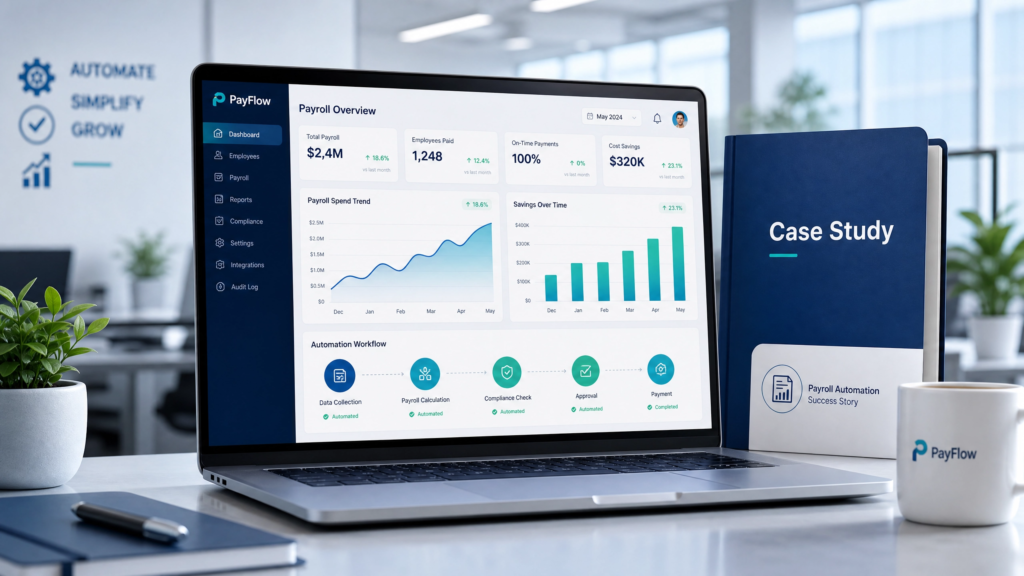
Payroll Automation Case Study 2026 | HRMS & Payroll Workflow Success Story
Payroll Automation Case Study: Reducing Payroll Errors & Saving Operational Time (2026) Payroll automation case study examples show how organizations automate payroll processing, attendance synchronization, compliance tracking, tax calculations, and workforce reporting using HRMS and payroll automation platforms to reduce payroll errors, improve operational efficiency, and streamline workforce management. Table of Contents Company Overview Payroll Challenges Before Automation Payroll Automation Solution Implemented Payroll Integration Architecture Implementation Process Results Achieved Business Impact Key Lessons Learned Why Payroll Automation Matters FAQs Company Overview A rapidly growing enterprise organization with distributed operations across multiple locations implemented payroll automation to modernize workforce operations and reduce payroll inefficiencies. The organization adopted: Payroll Software HRMS Software Payroll Integration Platform Attendance Management Systems Organization Profile Details Industry Enterprise Services & Operations Employees 8,000+ Workforce Locations Multiple Regional Offices Payroll Complexity Multi-department & shift-based payroll Primary Goal Automate payroll and compliance workflows Payroll Challenges Before Automation Before payroll automation, the organization relied heavily on spreadsheets, manual attendance reconciliation, and disconnected payroll workflows. Major operational challenges included: Manual payroll calculations consuming HR time Payroll discrepancies caused by attendance mismatches Delayed payroll approvals Compliance reporting inefficiencies Payroll tax calculation inconsistencies Disconnected workforce systems Limited payroll visibility across departments Payroll teams were spending several days every month reconciling attendance data, overtime records, and payroll calculations manually across multiple business units. Payroll Automation Solution Implemented The company implemented a centralized payroll automation ecosystem integrating workforce management, attendance tracking, payroll processing, and compliance reporting. The solution included: HRMS With API HRMS API Integration Payroll-to-Accounting Integration HRMS With Payroll Compliance SSO Integration HRMS The implementation centralized: Payroll calculations Attendance synchronization Overtime tracking Payroll tax management Employee self-service workflows Payroll reporting dashboards Compliance automation Payroll Integration Architecture The payroll automation ecosystem connected HRMS, payroll, accounting, and attendance systems using API-driven integrations. Integration Area Business Outcome Attendance-to-Payroll Integration Automated overtime calculations Payroll-to-Accounting Integration Improved financial reconciliation Employee Self-Service Portal Reduced HR support requests Compliance Reporting Integration Improved payroll governance API-Based Workforce Sync Centralized workforce visibility The organization also evaluated: HRMS Integration Demos HR Process Automation Strategies Compliance Management Platforms Implementation Process Phase 1: Payroll Workflow Audit Reviewed payroll processing workflows Audited attendance systems Mapped payroll compliance requirements Identified payroll bottlenecks Phase 2: Payroll System Integration Integrated attendance systems Configured payroll automation rules Enabled accounting synchronization Configured API workflows Phase 3: Workforce Automation Deployment Automated payroll calculations Enabled employee self-service access Configured payroll dashboards Validated payroll reporting accuracy Phase 4: Optimization & Reporting Monitored payroll automation performance Reviewed compliance reporting Tracked payroll efficiency improvements Optimized workforce workflows Results Achieved Payroll Automation Results 68% reduction in payroll processing time 53% reduction in payroll-related errors 74% faster attendance reconciliation 61% reduction in manual HR administrative tasks Improved payroll compliance visibility Centralized workforce reporting across locations Faster payroll approval workflows Metric Before Automation After Automation Payroll Processing Duration 6–7 Days 2 Days Payroll Error Frequency Frequent Manual Errors Reduced Significantly Attendance Reconciliation Manual Spreadsheet Process Automated Sync Payroll Reporting Fragmented Reports Centralized Dashboard Employee Payslip Access Manual Requests Self-Service Portal Business Impact The payroll automation initiative significantly improved workforce operations, compliance management, and payroll efficiency. Reduced operational payroll overhead Improved employee payroll transparency Strengthened compliance management Accelerated payroll reporting workflows Improved workforce visibility across business units Enabled scalable payroll operations Organizations modernizing payroll infrastructure often compare: Enterprise Payroll Platforms HRMS Platform Comparisons Multi-Country Payroll Systems Key Lessons Learned Attendance integration is critical for payroll accuracy Payroll automation reduces operational dependency on spreadsheets API integrations improve workforce synchronization Employee self-service reduces HR administrative workload Compliance automation improves payroll governance visibility Why Payroll Automation Matters Payroll automation is becoming essential for organizations managing distributed workforces, compliance complexity, and high-volume payroll operations. Modern payroll automation platforms help businesses: Reduce payroll errors Improve compliance tracking Automate workforce calculations Improve reporting accuracy Centralize workforce operations Scale payroll infrastructure efficiently Businesses also frequently reference external payroll compliance resources such as: IRS Employment Tax Guidelines U.S. Department of Labor Payroll Guidance Frequently Asked Questions About Payroll Automation Case Studies What is payroll automation? Payroll automation uses HRMS and payroll software to automate salary calculations, attendance synchronization, tax deductions, payroll reporting, and workforce payroll workflows. Why do businesses implement payroll automation? Businesses implement payroll automation to reduce payroll errors, improve operational efficiency, automate compliance workflows, and centralize workforce management. How does payroll automation reduce payroll errors? Payroll automation synchronizes attendance data, overtime calculations, payroll tax workflows, and employee payroll records automatically, reducing manual errors. Can payroll automation integrate with accounting systems? Yes. Payroll automation platforms commonly integrate with QuickBooks, ERP systems, accounting software, and workforce reporting platforms. What business benefits does payroll automation provide? Payroll automation improves payroll accuracy, reduces processing time, strengthens compliance visibility, and improves workforce reporting efficiency. Looking to Automate Payroll Operations? EHRMSNext helps businesses automate payroll processing, workforce management, attendance synchronization, compliance reporting, and payroll integrations through centralized HRMS infrastructure. Request a Demo Reviewed By: Payroll Automation & Workforce Technology Specialists at EHRMSNext Updated for 2026 payroll automation, workforce management, and enterprise payroll integration requirements.