Payroll & Compliance Definitions

This category explains payroll, statutory, and compliance-related concepts essential for accurate salary processing, regulatory adherence, and risk mitigation across geographies.

pharma payroll software
Blog, Payroll & Compliance Definitions

The 8 Best Leading Payroll Software Platforms for Businesses in 2026

The 8 Best Leading Payroll Software Platforms for Businesses in 2026 Payroll errors cost businesses an average of $291 per incident to correct—and that’s before accounting for the compliance penalties, employee frustration, and administrative hours lost to manual fixes. For organizations running payroll across multiple states or countries, those costs multiply fast. This guide breaks down what separates leading payroll software from basic solutions, walks through the key features worth evaluating, and compares the top eight platforms for businesses in 2026. What Is Leading Payroll Software The top payroll systems for 2026 include ADP for overall scalability, Gusto for small business simplicity, and Rippling for combined HR and IT management. What makes a payroll platform “leading” comes down to four things: how well it automates tax filings, how deeply it handles compliance across regions, whether it offers employee self-service tools, and how smoothly it connects with attendance and HR data. Payroll software, at its core, handles payroll processing—calculating employee pay, withholding taxes, generating payslips, and filing statutory reports. Leading platforms take this further with payroll automation that embeds compliance rules directly into the system—so you’re not manually checking tax codes or chasing down regulatory updates. Why Choosing the Right Payroll Software Matters for Businesses A wrong payroll choice shows up fast. Missed tax filings trigger penalties. Incorrect deductions erode employee trust—49% of workers will seek a new job after just two payroll mistakes. And when HR teams spend hours each pay cycle reconciling spreadsheets, that time adds up quickly. The risks break down into a few categories: Compliance failures: Fines from missed filings or incorrect statutory deductions—the U.S. Department of Labor collected $318 million in back pay and penalties in FY 2025 Payroll errors: Overpayments, underpayments, or delayed salaries Administrative burden: Hours spent on manual calculations instead of strategic work Scalability gaps: Systems that work fine at 50 employees but struggle at 200 Organizations operating across multiple states or countries face even more complexity. Each jurisdiction has its own tax codes and labor laws. A platform that handles California payroll well might stumble with Canadian provincial requirements or Brazilian labor rules. Key Features to Look for in a Leading Payroll Software Platform Before comparing vendors, it helps to know which capabilities actually matter. The features below form the foundation of any platform worth evaluating. Automated Payroll Processing and Tax Filings Automation here means the system calculates gross-to-net pay, applies withholdings, and files federal and state taxes without manual steps. Direct deposit, payslip generation, and year-end tax documents typically come standard. The point is reducing touchpoints where human error can creep in. Fewer manual steps mean fewer discrepancies to chase down later. Statutory and Regulatory Compliance Compliance goes beyond calculating taxes correctly. Leading platforms embed rules for regulations like HIPAA, FCRA, and state-level privacy laws directly into their workflows. Audit trails and compliance dashboards help organizations demonstrate adherence during reviews. This matters especially in industries with strict oversight—healthcare, government, financial services—where a compliance gap can mean more than just fines. Integration with HR and Attendance Systems Payroll accuracy depends on accurate inputs. When time tracking, leave management, and core HR data live in separate systems, discrepancies multiply. Integrated payroll and attendance through REST APIs or native connections ensures that hours worked, PTO taken, and employee status changes flow directly into payroll calculations. For organizations with shift-based or hourly workforces, biometric device integration adds another layer of accuracy. Employee Self Service and Mobile Access Self-service portals let employees view payslips, request advances, update personal information, and check leave balances—without submitting tickets to HR. Mobile apps extend this access to distributed or remote teams. The result: employees get faster answers, and HR teams spend less time on routine inquiries. Configurable Salary Structures and Workflows Enterprises rarely have uniform pay structures. Different departments, regions, and employee types often require distinct salary configurations, bonus rules, and approval workflows. Leading platforms offer configurable structures that adapt to organizational complexity rather than forcing workarounds. Reporting Analytics and Audit Trails Payroll reports, compliance dashboards, and audit-ready documentation support both daily operations and strategic planning. Analytics help finance teams forecast labor costs, while audit trails provide the documentation regulators expect. How to Choose the Best Payroll Software for Your Business With features understood, the next step is evaluating platforms against your specific situation. This framework helps structure that evaluation. 1. Confirm Compliance Coverage Across Your Regions Check whether the platform supports your operating locations—US, Canada, Mexico, Brazil, or wherever your workforce is based. Confirm that it handles local tax codes, labor laws, and statutory reporting for each region. 2. Evaluate Integration with Existing HR and Finance Systems Verify compatibility with your current accounting software, time tracking tools, and HRIS. Ask specifically about SSO (single sign-on) and REST API availability for custom integrations. 3. Assess Scalability for Workforce Growth Determine whether the system can handle increased headcount, new locations, and multi-entity structures without performance issues. Growth often reveals limitations that weren’t apparent at smaller scale. 4. Review Automation and AI Capabilities Look for AI-powered features like anomaly detection, predictive analytics, and automated compliance alerts. These capabilities reduce manual oversight and catch issues before they become problems. 5. Test Ease of Use and Employee Self Service Request a demo to evaluate interface usability for both HR admins and employees. A powerful system that’s difficult to use often leads to workarounds that undermine its benefits. 6. Verify Customer Support and Implementation Ask about 24/7 support availability, implementation timelines, data migration assistance, and training resources. The transition period is often where payroll projects succeed or struggle. The 8 Best Leading Payroll Software Platforms Here are the leading options for organizations evaluating payroll software in 2026, ordered by relevance to enterprise and compliance-focused buyers. EHRMSNext Best for: Enterprise payroll accuracy and statutory compliance across regions (US, CA, MX, BR) Configurable Salary Structures & Payroll Processing 100% Compliance Guaranteed with HIPAA, FCRA, State-Level Privacy Laws Integrated Attendance, Leave & Expense Data Employee Self-Service Portals & Mobile Apps 24/7 Expert Support EHRMSNext serves 500+ enterprises
Payroll & Compliance Definitions

What Is Statutory Payroll Compliance?

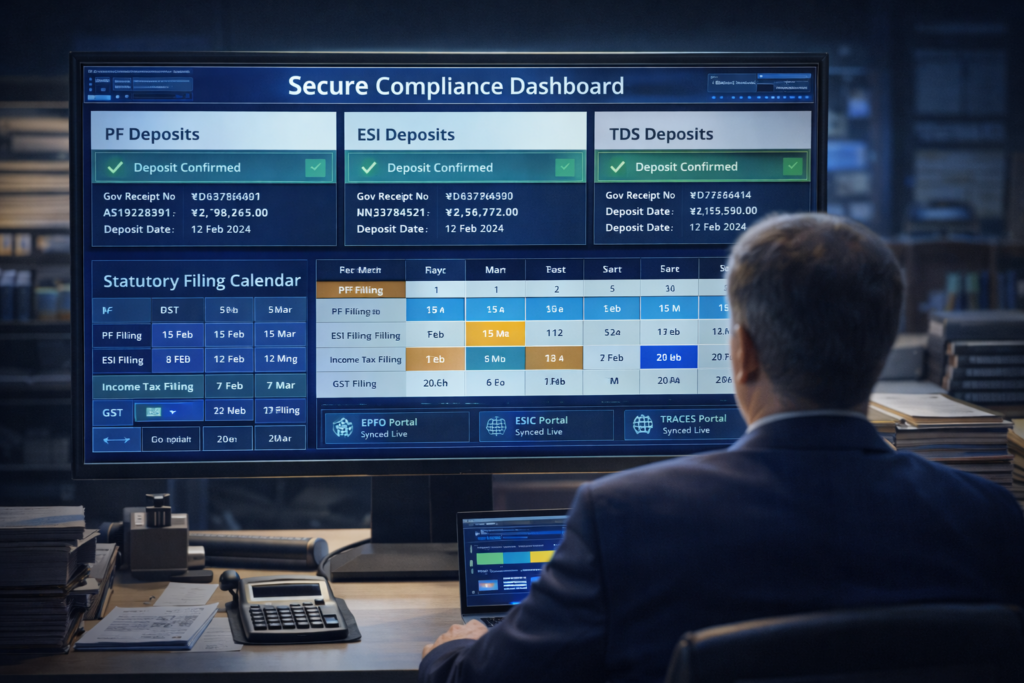
What Is Statutory Payroll Compliance? Statutory payroll compliance is the process of ensuring payroll operations comply with government-mandated laws related to wages, taxes, social security contributions, employee benefits, and labor regulations. This guide to statutory payroll compliance explains what statutory payroll compliance is, why it is important, key statutory requirements, how compliance works in payroll, and how organizations avoid penalties. Who This Is For Payroll and HR professionals Finance and accounting teams Compliance and audit managers Organizations operating under labor and tax regulations Summary: Statutory payroll compliance ensures payroll calculations, deductions, and filings meet legal requirements, helping organizations avoid penalties and maintain regulatory trust. Why Is Statutory Payroll Compliance Important? Ensures adherence to labor and tax laws Prevents penalties, fines, and legal action Protects employee rights and entitlements Supports audit readiness and transparency Maintains organizational credibility What Are Key Statutory Payroll Compliances? Minimum wage laws: Ensuring wages meet legal thresholds Income tax withholding: Correct deduction and remittance of taxes Social security / provident fund: Employer and employee contributions Health and insurance contributions: Statutory benefit payments Overtime and wage-hour laws: Compliance with work-hour regulations Country-specific labor laws: Regional statutory requirements How Does Statutory Payroll Compliance Work? Identify applicable payroll laws and regulations Configure statutory rules within payroll systems Apply correct deductions and contributions File statutory returns and reports on time Maintain compliance records and audit logs Risks of Non-Compliance in Payroll Financial penalties and interest on late payments Legal disputes and government audits Employee dissatisfaction and claims Operational disruption and rework Reputational damage Statutory Payroll Compliance vs General Payroll Compliance Statutory payroll compliance focuses on legally mandated payroll obligations General payroll compliance includes internal policies and controls Statutory compliance is law-driven; general compliance is policy-driven Both are essential for compliant payroll operations FAQs What is statutory payroll compliance? Statutory payroll compliance ensures payroll operations follow government-mandated labor, tax, and social security laws. Why is statutory payroll compliance important? It helps organizations avoid penalties, protect employee rights, and remain legally compliant. What are examples of statutory payroll compliances? Examples include minimum wage laws, tax deductions, provident fund contributions, and statutory benefits. What happens if statutory payroll compliance is not followed? Non-compliance can result in fines, audits, legal action, and reputational damage. Can statutory payroll compliance be automated? Yes. Payroll and HRMS software can automate statutory calculations, deductions, and filings.

Payroll & Compliance Definitions

What Is Payroll Reconciliation?

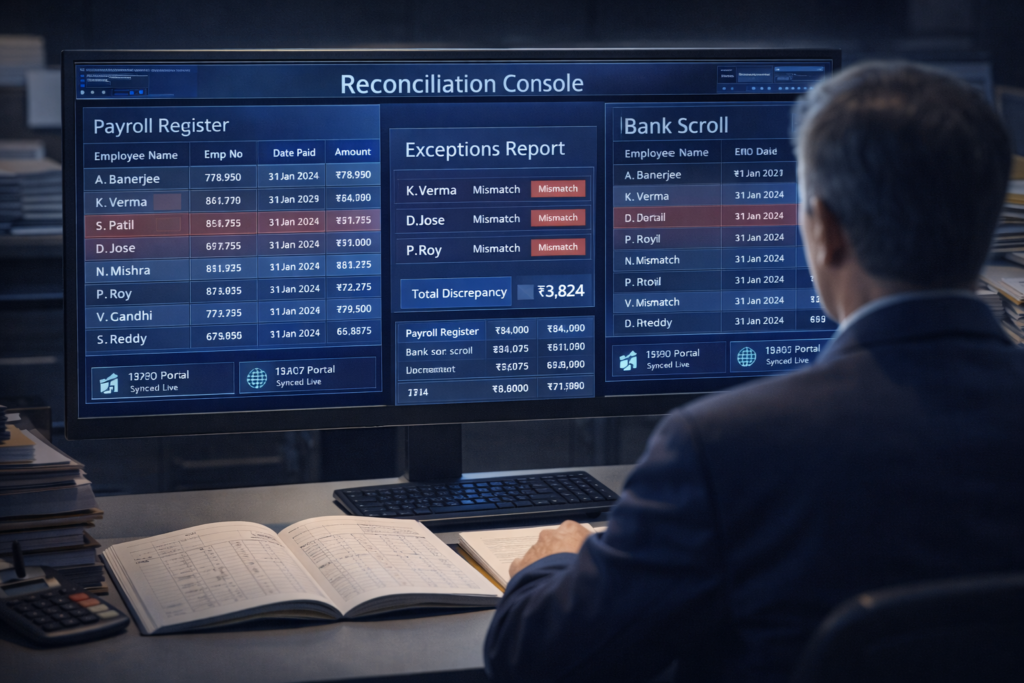
What Is Payroll Reconciliation? Payroll reconciliation is the process of verifying payroll records by comparing salary payments, deductions, taxes, and statutory filings against source data to ensure accuracy, compliance, and financial integrity. This guide to payroll reconciliation explains what payroll reconciliation is, why it is important, how it works, common reconciliation issues, and how organizations ensure payroll accuracy and audit readiness. Who This Is For Payroll and HR professionals Finance teams and controllers Audit and compliance teams Organizations managing complex payroll operations Summary: Payroll reconciliation ensures payroll accuracy by validating salary payments, deductions, and statutory records before and after payroll runs. Why Is Payroll Reconciliation Important? Ensures payroll accuracy and data consistency Prevents overpayments and underpayments Maintains compliance with tax and labor laws Supports internal and external audits Protects financial integrity and employee trust How Does Payroll Reconciliation Work? Compare payroll registers with attendance and leave data Validate gross pay calculations and salary components Match deductions, taxes, and statutory contributions Verify net pay against bank disbursement records Reconcile statutory filings and accounting entries What Issues Does Payroll Reconciliation Identify? Overpayments or underpayments: Incorrect salary payouts Incorrect deductions: Tax or contribution mismatches Attendance discrepancies: Mismatched work-hour data Statutory errors: Missing or incorrect filings Accounting mismatches: Payroll vs general ledger differences When Should Payroll Reconciliation Be Done? After every payroll cycle Before statutory filings and tax submissions During payroll audits and reviews After payroll corrections or adjustments During month-end and year-end closing Payroll Reconciliation vs Payroll Processing Payroll processing focuses on calculating and paying salaries Payroll reconciliation verifies payroll accuracy after processing Processing executes payroll; reconciliation validates it Both are essential for compliant payroll operations FAQs What is payroll reconciliation? Payroll reconciliation is the process of verifying payroll data by matching salary payments, deductions, and statutory records with source data. Why is payroll reconciliation important? It ensures payroll accuracy, prevents financial discrepancies, and supports compliance and audits. How often should payroll reconciliation be done? Payroll reconciliation should be performed after every payroll cycle and before statutory filings. What is included in payroll reconciliation? It includes salary verification, deduction checks, tax validation, bank disbursement matching, and statutory reconciliation. Can payroll reconciliation be automated? Yes. Payroll reconciliation can be automated using HRMS and payroll software with built-in validation and reporting tools.

Payroll & Compliance Definitions

What Is Payroll Processing?

What Is Payroll Processing? Payroll processing is the systematic process of calculating employee salaries, applying deductions and taxes, generating payslips, and ensuring employees are paid accurately and on time. This guide to payroll processing explains what payroll processing is, why it is important, the steps involved, key inputs and outputs, common challenges, and how organizations manage payroll efficiently. Who This Is For Payroll and HR professionals Finance and accounting teams Organizations managing employee compensation Businesses transitioning from manual to automated payroll Summary: Payroll processing ensures employees are paid correctly, statutory deductions are applied accurately, and payroll records remain compliant and audit-ready. Why Is Payroll Processing Important? Ensures accurate and timely employee compensation Maintains compliance with labor and tax laws Builds employee trust and satisfaction Reduces payroll disputes and errors Supports financial accuracy and reporting What Are the Steps in Payroll Processing? Collect employee data, attendance, and leave information Calculate gross pay based on salary structure Apply deductions such as taxes and statutory contributions Compute net pay for each employee Disburse salaries and generate payslips Record payroll data and file statutory reports Key Inputs in Payroll Processing Employee master data and salary structure Attendance, overtime, and leave records Tax rules and statutory deduction details Bonus, incentives, or reimbursement data Key Outputs of Payroll Processing Employee payslips Salary disbursements Payroll reports and summaries Statutory filings and compliance records Common Payroll Processing Challenges Manual calculation errors Incorrect tax or statutory deductions Delayed payroll runs Compliance risks and penalties Lack of payroll visibility and control Payroll Processing vs Payroll Management Payroll processing focuses on calculating and paying salaries Payroll management includes governance, compliance, and payroll strategy Processing is operational; management is oversight-driven Both are essential for reliable payroll operations FAQs What is payroll processing? Payroll processing is the process of calculating salaries, deductions, and net pay to ensure employees are paid accurately and on time. What are the steps involved in payroll processing? Steps include data collection, gross pay calculation, deductions, net pay computation, salary disbursement, and reporting. Why is payroll processing important? It ensures accurate compensation, legal compliance, and employee trust. Is payroll processing the same as payroll management? No. Payroll processing handles salary calculations, while payroll management oversees compliance and payroll governance. Can payroll processing be automated? Yes. Payroll processing can be automated using payroll or HRMS software to reduce errors and improve efficiency.

Payroll & Compliance Definitions

What Is Payroll Error Management?

What Is Payroll Error Management? Payroll error management is the process of identifying, correcting, preventing, and documenting payroll mistakes to ensure accurate employee compensation and compliance with labor and tax regulations. This guide to payroll error management explains what payroll error management is, why it matters, common payroll errors, how organizations manage payroll mistakes, and how automation helps reduce payroll risk. Who This Is For Payroll and HR professionals Finance and compliance teams Organizations processing complex payroll Businesses aiming to reduce payroll risk and disputes Summary: Payroll error management ensures employees are paid accurately, reduces compliance risk, and prevents financial losses caused by payroll mistakes. Why Is Payroll Error Management Important? Ensures accurate and timely employee payments Prevents legal penalties and compliance violations Reduces employee disputes and dissatisfaction Protects organizational credibility and trust Improves payroll process reliability What Are Common Payroll Errors? Incorrect salary calculations: Errors in base pay or allowances Overtime miscalculations: Incorrect overtime hours or rates Tax and statutory deduction errors: Wrong tax or contribution amounts Employee misclassification: Incorrect employee or contractor status Missed or delayed payments: Late or incomplete payroll runs How Does Payroll Error Management Work? Detect payroll discrepancies and anomalies Identify root causes of payroll errors Correct payroll records and calculations Communicate corrections to affected employees Implement controls to prevent future errors Consequences of Poor Payroll Error Management Employee dissatisfaction and loss of trust Financial penalties and back-pay liabilities Compliance violations and audits Operational disruption and rework Reputational damage Payroll Error Management vs Payroll Processing Payroll processing focuses on running payroll calculations and payments Payroll error management focuses on detecting, correcting, and preventing payroll mistakes Error management improves the accuracy of payroll processing Both are essential for reliable payroll operations FAQs What is payroll error management? Payroll error management is the process of identifying, correcting, and preventing payroll mistakes to ensure accurate compensation. What are common payroll errors? Common payroll errors include incorrect salary calculations, overtime mistakes, tax deduction errors, and delayed payments. Why is payroll error management important? It ensures payroll accuracy, compliance with regulations, and employee trust. How can payroll errors be prevented? Payroll errors can be prevented through automation, validation checks, audits, and clear payroll workflows. Can payroll error management be automated? Yes. Payroll error management can be automated using HRMS and payroll software with built-in validations.

Payroll & Compliance Definitions

What Is Payroll Audit Readiness?

What Is Payroll Audit Readiness? What Is Payroll Audit Readiness? This guide provides a clear, concise definition and practical insights for HR professionals, payroll managers, business leaders, and employees evaluating HR technology solutions and payroll compliance requirements. Core Definition Payroll Audit Readiness: Payroll Audit Readiness is a fundamental component of modern payroll operations that impacts accuracy, compliance, and organizational risk management. Understanding this concept helps organizations maintain legal compliance, avoid penalties, and improve operational efficiency. Why This Matters Companies implementing proper payroll audit readiness see measurable improvements in operational efficiency, compliance adherence, regulatory readiness, and employee satisfaction. Modern HRMS platforms like EHRMSNext address these challenges through automation, centralized management, compliance tracking, and data-driven insights. Key Components Clear processes and workflows aligned with regulations Automation and technology integration for accuracy Compliance and regulatory alignment Data accuracy, auditability, and reporting capabilities Common Challenges Organizations often struggle with payroll audit readiness due to manual processes, lack of integration, evolving regulatory requirements, and insufficient visibility. Modern HRMS platforms address these challenges through automation, real-time monitoring, compliance alerts, and centralized management. Implementation Best Practices Start with clear process documentation and workflow mapping Automate repetitive tasks and reduce manual data entry Ensure alignment with federal, state, and local regulations Train teams on updated workflows and compliance requirements Monitor metrics and continuously improve processes Industry Insight Leading HR and payroll platforms emphasize the importance of payroll audit readiness in their solutions, helping organizations scale efficiently while maintaining compliance, avoiding penalties, and supporting employee satisfaction and retention. Learn More About Payroll Compliance Core payroll and HR compliance concepts are essential for organizational success. Understanding these fundamentals helps HR teams and business leaders make informed decisions about technology investments and process improvements. How EHRMSNext Supports This EHRMSNext provides comprehensive tools for payroll audit readiness with automation, compliance tracking, audit trails, and analytics. See EHRMSNext Features or explore use cases. Need help with payroll audit readiness? Contact our team.

Payroll & Compliance Definitions

What Is Compliance Risk in Payroll?

What Is Compliance Risk in Payroll? What Is Compliance Risk in Payroll? This guide provides a clear, concise definition and practical insights for HR professionals, payroll managers, business leaders, and employees evaluating HR technology solutions and payroll compliance requirements. Core Definition Compliance Risk in Payroll: is a fundamental component of modern payroll operations that impacts accuracy, compliance, and organizational risk management. Understanding this concept helps organizations maintain legal compliance, avoid penalties, and improve operational efficiency. Why This Matters Companies implementing proper compliance risk see measurable improvements in operational efficiency, compliance adherence, regulatory readiness, and employee satisfaction. Modern HRMS platforms like EHRMSNext address these challenges through automation, centralized management, compliance tracking, and data-driven insights. Key Components Clear processes and workflows aligned with regulations Automation and technology integration for accuracy Compliance and regulatory alignment Data accuracy, auditability, and reporting capabilities Common Challenges Organizations often struggle with compliance risk due to manual processes, lack of integration, evolving regulatory requirements, and insufficient visibility. Modern HRMS platforms address these challenges through automation, real-time monitoring, compliance alerts, and centralized management. Implementation Best Practices Start with clear process documentation and workflow mapping Automate repetitive tasks and reduce manual data entry Ensure alignment with federal, state, and local regulations Train teams on updated workflows and compliance requirements Monitor metrics and continuously improve processes Industry Insight Leading HR and payroll platforms emphasize the importance of compliance in payroll in their solutions, helping organizations scale efficiently while maintaining compliance, avoiding penalties, and supporting employee satisfaction and retention. Learn More About Payroll Compliance Core payroll and HR compliance concepts are essential for organizational success. Understanding these fundamentals helps HR teams and business leaders make informed decisions about technology investments and process improvements. How EHRMSNext Supports This EHRMSNext provides comprehensive tools for compliance risk for payroll with automation, compliance tracking, audit trails, and analytics. See EHRMSNext Features or explore use cases. Need help with compliance risk? Contact our team.

Payroll & Compliance Definitions

What Is Wage & Hour Compliance?

What Is Wage & Hour Compliance? Wage and hour compliance refers to an employer’s obligation to follow labor laws governing employee pay, working hours, overtime, minimum wage, breaks, and accurate timekeeping. This guide to wage and hour compliance explains what wage & hour compliance is, why it matters, what it includes, common violations, and how organizations manage compliance effectively. Who This Is For HR and payroll professionals Compliance and audit teams Organizations managing hourly or shift-based employees Businesses operating under labor and wage laws Summary: Wage and hour compliance ensures employees are paid correctly, work within legal limits, and that organizations avoid penalties, lawsuits, and regulatory action. Why Is Wage & Hour Compliance Important? Protects employee rights and fair compensation Ensures adherence to labor and wage laws Prevents fines, penalties, and legal disputes Maintains employer credibility and trust Supports audit readiness and accurate payroll What Does Wage & Hour Compliance Include? Minimum wage laws: Paying legally mandated minimum wages Overtime regulations: Proper calculation and payment of overtime Working hour limits: Enforcing daily and weekly work-hour caps Break and rest periods: Providing legally required breaks Timekeeping and records: Maintaining accurate work-hour records Common Wage & Hour Compliance Violations Unpaid or miscalculated overtime Incorrect classification of employees Failure to pay minimum wage Inaccurate time tracking Missing or incomplete payroll records Wage & Hour Compliance vs Payroll Compliance Wage & hour compliance focuses on pay rules, hours worked, and labor laws Payroll compliance covers tax deductions, filings, and statutory payments Wage & hour compliance directly impacts employee compensation Payroll compliance ensures correct reporting and tax obligations Consequences of Wage & Hour Non-Compliance Financial penalties and back-pay liabilities Government audits and investigations Employee lawsuits and legal action Operational disruptions Reputational damage How Organizations Manage Wage & Hour Compliance Define clear wage and hour policies Track employee time and attendance accurately Ensure correct overtime and wage calculations Stay updated with labor law changes Use HRMS and payroll automation tools FAQs What is wage and hour compliance? Wage and hour compliance refers to following labor laws that regulate employee pay, working hours, overtime, and timekeeping. Why is wage and hour compliance important? It ensures fair employee compensation, legal compliance, and prevents penalties and lawsuits. What laws are included in wage and hour compliance? Laws include minimum wage regulations, overtime rules, working hour limits, break requirements, and recordkeeping laws. What are common wage and hour violations? Common violations include unpaid overtime, misclassification of employees, and inaccurate time records. How can companies manage wage and hour compliance? Companies can manage compliance by tracking time accurately, following labor laws, and using HRMS or payroll automation software.

Payroll & Compliance Definitions

What Is Leave Policy Compliance?

What Is Leave Policy Compliance? What Is Leave Policy Compliance? This guide provides a clear, concise definition and practical insights for HR professionals, payroll managers, business leaders, and employees evaluating HR technology solutions and payroll compliance requirements. Core Definition Leave Policy Compliance: Leave Policy Compliance is a fundamental component of modern payroll operations that impacts accuracy, compliance, and organizational risk management. Understanding this concept helps organizations maintain legal compliance, avoid penalties, and improve operational efficiency. Why This Matters Companies implementing proper leave policy compliance see measurable improvements in operational efficiency, compliance adherence, regulatory readiness, and employee satisfaction. Modern HRMS platforms like EHRMSNext address these challenges through automation, centralized management, compliance tracking, and data-driven insights. Key Components Clear processes and workflows aligned with regulations Automation and technology integration for accuracy Compliance and regulatory alignment Data accuracy, auditability, and reporting capabilities Common Challenges Organizations often struggle with leave policy compliance due to manual processes, lack of integration, evolving regulatory requirements, and insufficient visibility. Modern HRMS platforms address these challenges through automation, real-time monitoring, compliance alerts, and centralized management. Implementation Best Practices Start with clear process documentation and workflow mapping Automate repetitive tasks and reduce manual data entry Ensure alignment with federal, state, and local regulations Train teams on updated workflows and compliance requirements Monitor metrics and continuously improve processes Industry Insight Leading HR and payroll platforms emphasize the importance of leave policy compliance in their solutions, helping organizations scale efficiently while maintaining compliance, avoiding penalties, and supporting employee satisfaction and retention. Learn More About Payroll Compliance Core payroll and HR compliance concepts are essential for organizational success. Understanding these fundamentals helps HR teams and business leaders make informed decisions about technology investments and process improvements. How EHRMSNext Supports This EHRMSNext provides comprehensive tools for leave policy compliance with automation, compliance tracking, audit trails, and analytics. See EHRMSNext Features or explore use cases. Need help with leave policy compliance? Contact our team. Follow our official LinkedIn page

Payroll & Compliance Definitions

What Is Payroll Compliance Automation?

What Is Payroll Compliance Automation? What Is Payroll Compliance Automation? This guide provides a clear, concise definition and practical insights for HR professionals, payroll managers, business leaders, and employees evaluating HR technology solutions and payroll compliance requirements. Core Definition Payroll Compliance Automation: Payroll Compliance Automation is a fundamental component of modern payroll operations that impacts accuracy, compliance, and organizational risk management. Understanding this concept helps organizations maintain legal compliance, avoid penalties, and improve operational efficiency. Why This Matters Companies implementing proper payroll compliance automation see measurable improvements in operational efficiency, compliance adherence, regulatory readiness, and employee satisfaction. Modern HRMS platforms like EHRMSNext address these challenges through automation, centralized management, compliance tracking, and data-driven insights. Key Components Clear processes and workflows aligned with regulations Automation and technology integration for accuracy Compliance and regulatory alignment Data accuracy, auditability, and reporting capabilities Common Challenges Organizations often struggle with payroll compliance automation due to manual processes, lack of integration, evolving regulatory requirements, and insufficient visibility. Modern HRMS platforms address these challenges through automation, real-time monitoring, compliance alerts, and centralized management. Implementation Best Practices Start with clear process documentation and workflow mapping Automate repetitive tasks and reduce manual data entry Ensure alignment with federal, state, and local regulations Train teams on updated workflows and compliance requirements Monitor metrics and continuously improve processes Industry Insight Leading HR and payroll platforms emphasize the importance of payroll compliance automation in their solutions, helping organizations scale efficiently while maintaining compliance, avoiding penalties, and supporting employee satisfaction and retention. Learn More About Payroll Compliance Core payroll and HR compliance concepts are essential for organizational success. Understanding these fundamentals helps HR teams and business leaders make informed decisions about technology investments and process improvements. How EHRMSNext Supports This EHRMSNext provides comprehensive tools for payroll compliance automation with automation, compliance tracking, audit trails, and analytics. SeeEHRMSNext Featuresor exploreuse cases. Need help with payroll compliance automation? Contact our team.Visit our Company Profile: LinkedIn   

Scroll to Top