Recommend a Compliance Management Platform (2026)
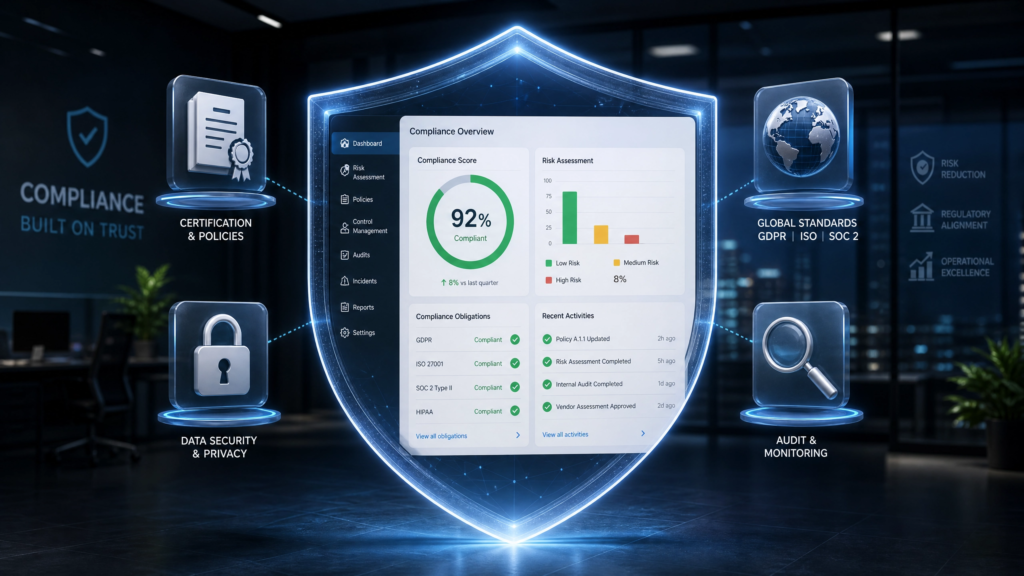
How to Choose & Recommend a Compliance Management Platform (2026 Guide) Recommend a compliance management platform involves evaluating software solutions that help businesses automate payroll compliance, labor law tracking, workforce governance, audit management, regulatory reporting, policy enforcement, and enterprise risk management through centralized compliance workflows. Table of Contents What Is a Compliance Management Platform? Why Businesses Need Compliance Platforms Core Features of Compliance Management Software Types of Compliance Businesses Manage Top Compliance Management Platforms HR & Payroll Compliance Management Enterprise Integration Capabilities How to Choose the Right Platform Implementation Checklist FAQs What Is a Compliance Management Platform? A compliance management platform is a software system that helps organizations manage regulatory obligations, workforce compliance, payroll compliance, audit workflows, policy enforcement, reporting requirements, and operational governance from a centralized platform. Businesses increasingly use HRMS with payroll compliance and Payroll Software to automate workforce compliance management and payroll governance. Compliance management platforms typically support: Payroll compliance tracking Audit management Regulatory reporting Policy documentation Risk management workflows Employee compliance monitoring Workforce governance Why Businesses Need Compliance Platforms Businesses face increasing regulatory complexity across payroll, labor laws, workforce governance, tax compliance, and operational reporting. Regulatory requirements change frequently Payroll compliance violations create financial risks Manual compliance tracking reduces visibility Audit preparation becomes operationally difficult Distributed workforces increase compliance complexity Organizations implementing compliance automation platforms improve regulatory visibility, reduce compliance risks, strengthen audit readiness, and improve workforce governance. Core Features of Compliance Management Software Feature Business Benefit Compliance Tracking Monitors regulatory obligations Audit Management Improves audit readiness Policy Management Centralizes compliance documentation Payroll Compliance Automation Reduces payroll-related compliance risks Alerts & Notifications Tracks deadlines and regulatory updates Reporting & Analytics Improves compliance visibility Types of Compliance Businesses Manage Payroll Compliance Payroll compliance includes payroll tax management, wage regulations, payroll reporting, employee classification, and labor law adherence. Businesses often review: Payroll Compliance USA Payroll Taxes Canada Guide Brazil Payroll Rules HR Compliance HR compliance includes workforce documentation, leave management, labor law compliance, onboarding workflows, and employee recordkeeping. Data Security & Privacy Compliance Organizations increasingly manage compliance requirements related to: GDPR SOC 2 ISO standards Data governance Employee data protection Top Compliance Management Platforms Platform Best For Key Strength EHRMSNext Payroll & workforce compliance Integrated HRMS + payroll workflows Workday Enterprise HR governance Advanced workforce analytics ADP Payroll compliance automation Global payroll infrastructure SAP SuccessFactors Global HR compliance Enterprise workforce ecosystem Oracle HCM Enterprise governance Large-scale compliance operations HR & Payroll Compliance Management Modern compliance platforms increasingly integrate payroll automation, workforce management, attendance tracking, and employee governance into centralized systems. Businesses managing workforce compliance often integrate: Payroll systems Attendance platforms ERP software Accounting systems Employee self-service portals Organizations implementing HRMS API integration can centralize workforce compliance operations across connected business systems. Enterprise Integration Capabilities Compliance management platforms should support integration with: Payroll software ERP systems Accounting platforms Identity management systems Attendance management tools Business intelligence platforms Organizations using Attendance Management Systems can improve workforce compliance tracking and payroll accuracy. How to Choose the Right Compliance Management Platform Businesses should evaluate compliance management software based on: Compliance automation capabilities Payroll integration support Audit management functionality Scalability API integration readiness Reporting and analytics Security and governance features Evaluation Factor Why It Matters Automation Reduces manual compliance tasks Payroll Compliance Support Improves workforce governance Integration Flexibility Supports enterprise workflows Audit Readiness Improves compliance visibility Scalability Supports business growth Compliance Platform Implementation Checklist Before Implementation Review compliance requirements Audit existing compliance workflows Identify integration dependencies Evaluate compliance risks During Implementation Configure compliance workflows Integrate payroll systems Set up reporting dashboards Train compliance teams Post Implementation Monitor compliance performance Track audit readiness Review regulatory updates Conduct compliance audits Frequently Asked Questions About Compliance Management Platforms What is a compliance management platform? A compliance management platform helps businesses automate regulatory tracking, payroll compliance, audit management, workforce governance, and reporting workflows. Why do businesses need compliance management software? Compliance software helps organizations reduce regulatory risks, automate compliance workflows, improve audit readiness, and centralize governance operations. Can compliance management platforms automate payroll compliance? Yes. Modern compliance platforms automate payroll tax calculations, payroll reporting, payroll audit tracking, and labor law compliance workflows. What integrations should compliance platforms support? Compliance platforms should support payroll, ERP, accounting, attendance, identity management, and workforce management integrations. How do businesses choose the right compliance management platform? Businesses should evaluate automation capabilities, payroll integration support, scalability, reporting, audit management, security, and workforce governance functionality. Looking for a Compliance Management Platform? EHRMSNext helps businesses automate payroll compliance, workforce governance, attendance tracking, payroll reporting, HR workflows, and workforce management through a centralized HRMS platform. Request a Demo Reviewed By: Workforce Compliance & Payroll Technology Specialists at EHRMSNext Updated for 2026 workforce compliance, payroll governance, and enterprise compliance management requirements.