Author name: jsburra

HRMS

Building a Smarter Employee Help Desk: Tools, Features, and Benefits

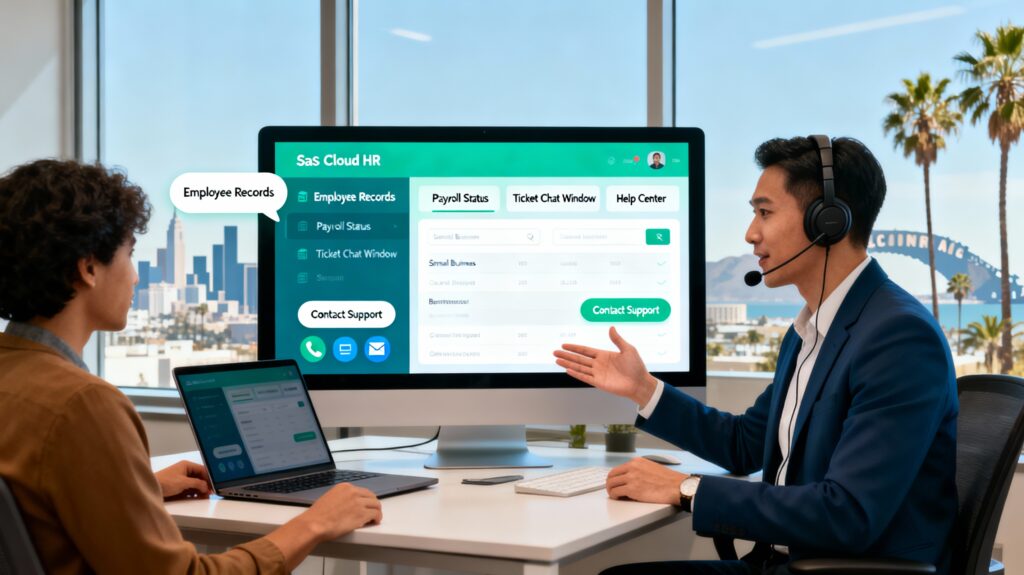
Introduction Building a Smarter Employee Help Desk: Tools, Features, and Benefits There’s a moment in every company, whether it’s a fast-moving startup or a legacy enterprise, where employees hit a wall. Maybe their system login isn’t working. Maybe payroll needs correction. Maybe their project access hasn’t been granted. Or maybe they just need someone, somewhere, to respond to their question before the entire workday collapses into frustration. This is the quiet, unglamorous reality of internal operations. Employees need help. They need it quickly. And internal teams often become overwhelmed by repetitive queries that pile up faster than they can respond. This is exactly where a smarter employee help desk comes in. It’s not just a ticketing system. It’s not just a support inbox. It’s the backbone of internal communication, the steady infrastructure that keeps the company functioning without chaos. Companies talk endlessly about innovation, digital transformation, and the future of work. But if their internal support is stuck in a loop of unanswered emails and manual troubleshooting, there’s nothing futuristic about that. A smarter employee help desk solves this gap by giving employees a clear, reliable way to get help, while giving HR, IT, finance, and admin teams the structure they desperately need. This is not a small upgrade. It’s a complete reboot of how internal support works. Why a Modern Employee Help Desk Matters More Than Ever If you look closely at how employees work today, it becomes obvious why traditional support systems fall apart. People are remote. People work at different times. People rely heavily on digital tools. And when something breaks, slows down, or becomes unclear, the entire workflow stalls. The employee help desk becomes the lifeline the first point of contact when something goes wrong. But many companies still treat it like an afterthought. They use email threads, random WhatsApp messages, spreadsheets, and makeshift systems to manage issues across departments. This leads to predictable problems: Employees chase updates. Departments lose track of requests. Small issues become bigger problems. No one knows who’s responsible for what. And support teams burn out. A smarter employee help desk eliminates these headaches by centralising help, tracking every issue properly, and creating an organised, transparent flow. It removes the guesswork from internal support and replaces it with structure. And structure, especially in modern workplaces, is gold. Moving From ‘Ask Around’ to Actual Support Infrastructure In many companies, support happens through what I call the “ask around ecosystem.” If an employee needs something, they message a colleague, who tells them to message another colleague, who then tells them to try sending an email “to this person who usually handles that.” That is not support. That is organisational roulette. A proper employee help desk ends this internal scavenger hunt. Employees have a single place to ask for help. A system, not a person, tracks the request. The right department is automatically notified. And employees can finally move on with their work without running around trying to find answers. This shift alone boosts productivity more than most leaders realise. Work stops getting stuck. People stop feeling helpless. And teams stop wasting time answering the same questions repeatedly. What Makes an Employee Help Desk “Smart”? A smarter employee help desk isn’t just a ticketing tool. It’s a mix of automation, knowledge-sharing, fast routing, and a clean user experience. It doesn’t overwhelm employees with tech complexity. Instead, it quietly works in the background to keep support flowing. These are the core components that separate a regular help desk from a smart one. A Unified Support Portal Employees Actually Use The heart of a great employee help desk is a centralised portal where employees can submit requests without confusion. No one should be guessing where to go or searching old emails for “the person who helped last time.” The portal becomes the single access point for everything: IT issues, HR queries, admin requests, payroll errors, access problems, hardware needs, and general questions. It acts like the internal version of customer support, except the customers are employees, and their time matters just as much. When employees have a clear entry point, half the battle is already won. Intelligent Ticket Routing That Speeds Up Help The smartest part of a modern employee help desk is how it directs requests. Instead of dumping everything into a shared inbox, the system automatically routes each ticket to the right team IT, HR, finance, procurement, admin, compliance, or facilities. This routing happens instantly. The right people get notified. Employees stop waiting for misdirected emails. Routing is what turns internal support from reactive chaos into planned flow. Automated Responses That Don’t Feel Robotic No one likes generic auto-replies, but employees do appreciate fast acknowledgement. A smart employee help desk sends instant updates but with personalisation. Automation isn’t about replacing humans it’s about reducing the silent periods when employees wonder what happened to their request. Knowledge Base Articles That Actually Help A big part of any strong employee help desk is a live, updated knowledge base. These are simple articles that answer common questions like: “How do I reset my password?” “How do I apply for reimbursements?” “What’s the process for adding dependents to insurance?” Employees should be able to fix basic problems themselves without waiting for someone to respond. That kind of self-service reduces ticket volume drastically and makes support teams more efficient. An Interface That Doesn’t Look Like 1998 If a support system feels confusing or outdated, employees won’t use it. A smart employee help desk has a clean, intuitive design. Submitting a request should feel as easy as sending a message. Checking updates should take seconds. Real-Time Tracking So Employees Don’t Chase Updates One of the biggest sources of frustration is not knowing what’s happening. Employees keep refreshing emails or nudging support teams because they feel left in the dark. A good employee help desk eliminates this with a simple real-time dashboard showing who is working on the issue, what stage it’s in, and when they can expect resolution. Analytics That

HRMS

How an Employee Self-Service Portal Improves Efficiency and Engagement

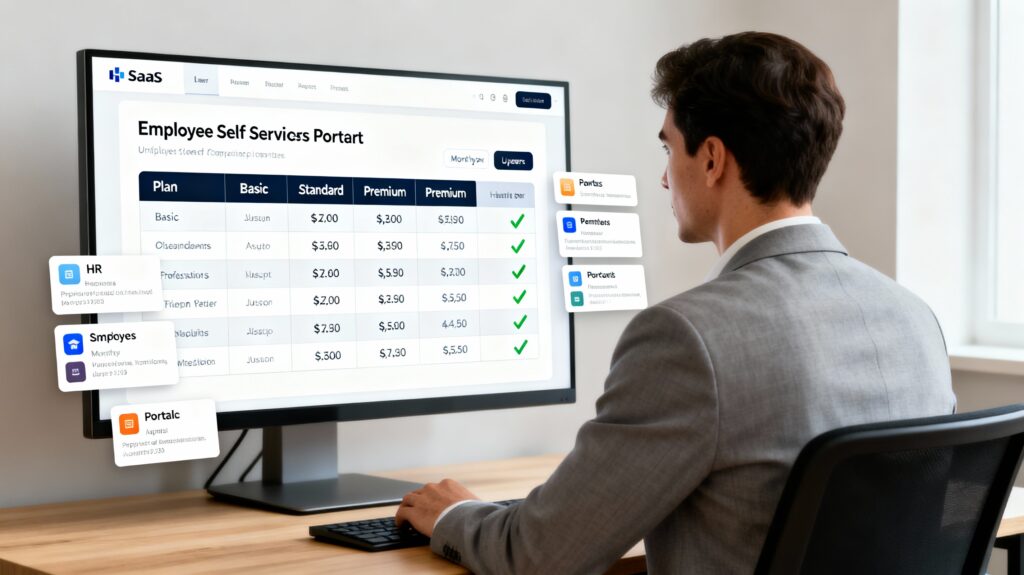
Introduction If you’ve ever sat at your desk waiting for an HR email to arrive, or refreshing your inbox because you really need that payslip or leave update, then you already understand why workplaces get unnecessarily slow. It’s weird when you think about it. We live in a world where we can order food in minutes, track deliveries on our phones, check bank balances instantly, and even do video calls with people across the world. But inside many companies, getting a simple HR document still feels like something that requires patience, luck, and maybe a few reminders thrown in. Most employees don’t complain about this out loud, but everyone feels it. And HR feels it even more, because they’re the ones trying to answer all these small requests. They might not say it, but they spend a huge chunk of their time doing work that honestly shouldn’t need a human being involved. That’s where the employee self-service idea makes so much sense. It isn’t some high-tech, futuristic concept. It’s basically giving employees access to their own information so they can get what they need without depending on HR. Simple idea, but it changes more than you’d expect. What I’ve noticed (and maybe you’ve seen this too) is that the smallest workplace problems create the biggest frustration. Not the big decisions, not the huge projects, just the everyday stuff. If you can fix the everyday stuff, suddenly people feel like the workplace is organised, modern, and respectful of their time. And that’s exactly what an employee self-service portal does. The Daily HR Requests That Slow Everyone Down Let’s be honest, nobody likes sending those “Hi, can you please send me my payslip?” emails. And HR doesn’t enjoy replying to them either. It’s not meaningful work for anyone. It’s just part of the system because there’s no better option. Or at least, there wasn’t a better option before self-service became common. You know how it goes. Somebody needs a tax document. Another person wants to check their leave. Someone else needs to update their phone number. HR becomes the middleman for everything. Employees wait longer than they want to. HR gets buried under repetitive tasks. Everyone feels a little frustrated, even though nobody’s doing anything wrong. A self-service portal removes that entire loop. You need something? You log in, you take it, you move on. No waiting. No reminders. No delays. It’s honestly surprising how much smoother the office feels when employees stop depending on HR for basic things. Employees Get More Control (And That Feels Good) Something people don’t usually talk about is the emotional part of work. When employees have to wait for someone else to help them with something simple, they feel dependent, and sometimes even helpless. It’s not a huge problem, but these tiny feelings build up. But when employees can get their own documents, check their own records, or update their own information, it gives them a small sense of control that matters more than most companies realise. It feels like the organisation trusts them. It feels respectful. And honestly, it feels less embarrassing than asking HR for something like a payslip you need for a loan or a rental agreement. Self-service makes employees feel more “grown up” at work, and that makes a difference in how they see their company. HR Finally Has Space to Breathe If you talk to anyone in HR (not in a meeting, but casually), they’ll tell you how draining it is to deal with the same requests over and over again. These tasks take time, but they don’t move the company forward. HR professionals want to work on things like training programs, employee development, culture building, hiring improvements, and real employee support, but they often don’t have the bandwidth. With self-service, a huge portion of their daily workload simply disappears. They don’t get emails asking for leave details. They don’t have to pull out salary slips. They don’t have to manually update someone’s personal information. Suddenly, HR has time for actual HR work instead of clerical tasks. Workplaces Aren’t All Office Desks Anymore In many companies, people don’t sit at desks all day. Some work on shop floors, some in the field, some in hospitals, some in warehouses, and many from home. These employees rarely have easy access to HR or office systems. And asking HR for something becomes even more complicated. This is where a self-service portal, especially one that works well on mobile, becomes a lifesaver. An employee can check their attendance while commuting. Another can apply for leave after a night shift. Someone working remotely can download a document needed for a bank visit. They don’t need a laptop, a VPN, or an office network. They just need their phone. Remote Work Doesn’t Have to Feel Scattered When remote work became normal, many companies discovered just how dependent they were on in-person HR processes. Things that were easy in the office, like checking on onboarding documents or asking HR a small question, became time-consuming. A self-service portal keeps everything in one place. New joiners can upload their documents. Employees can check policies. Everything stays updated and available without needing the office. For teams spread across multiple locations or countries, this becomes even more important. Fewer Mistakes and Fewer Misunderstandings You’d be surprised how many problems come from simple human error. Someone updates the wrong sheet. Someone forgets to enter attendance. Someone emails an outdated version of a policy. These things happen because manual processes leave room for mistakes. When employees use a self-service portal, there’s far less room for confusion. People see their records directly. Changes update instantly. Information is consistent for everyone. Convenience Turns Into Engagement When people talk about employee engagement, they usually jump to big ideas like rewards, benefits, fun activities, feedback sessions, and so on. Those things are good, but everyday convenience plays a bigger role than most leaders realise. Think about this: if employees constantly feel stuck or delayed because of internal

HRMS

Key HR Management System Features for Modern Organizations

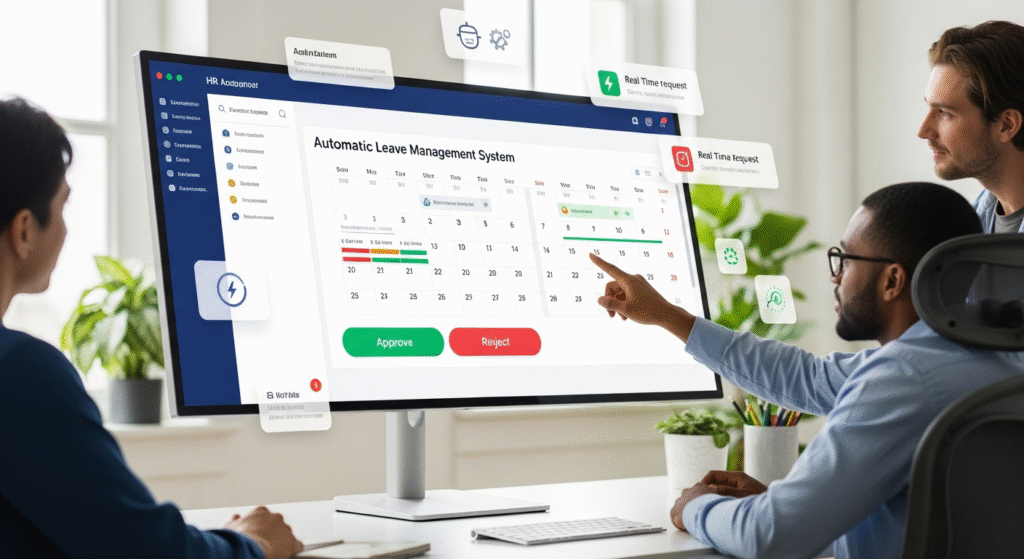
Introduction In the moment’s presto changing business world, associations face growing pressure to manage their people more efficiently. brigades are more different, work locales are more flexible, and hand prospects are advanced than ever. To meet these evolving requirements, companies are turning to advanced mortal Resource Management Systems, or HRMS.  An ultramodern HRMS platform is n’t just a tool it is the foundation that keeps people, processes, and productivity connected. It helps HR professionals automate tasks, gain visibility into pool data, and produce a flawless experience for workers from reclamation to withdrawal.  Still, with so numerous results available in the request, relating the must-have features in an ultramodern HRMS platform can be inviting. This companion explores every essential element a future- concentrated HRMS should have, helping decision- makers choose the right system for long- term success.  1. Consolidated Hand Database : Every effective HRMS begins with a centralized hand database. This point serves as the core where all hand information is stored and streamlined in real time.  Rather than maintaining multiple spreadsheets or paper lines, HR brigades can manage particular details, job places, performance records, and benefits data in one position. This centralization reduces duplication, ensures data delicacy, and simplifies compliance reporting.  A truly ultramodern HRMS allows authorized workers to pierce and modernize their information directly through a secure gate. This reduces reliance on HR staff and ensures that information remains accurate across departments.  When everyone in the association works from the same, dependable data source, communication improves, and opinions come more informed.  2. Reclamation and Onboarding robotization : The hiring process defines the strength of an association’s pool. A strong HRMS simplifies reclamation by automating job bulletins, aspirant shadowing, and seeker evaluation.  Babe can produce job rosters, partake them across multiple platforms, and manage aspirants from a single dashboard. Integration with dispatch and timetable systems ensures smooth communication and interview scheduling.  Once a seeker is named, onboarding begins automatically. The HRMS can shoot digital welcome accoutrements , collect necessary documents, and guide the new hand through company programs and benefits registration.  This point makes the onboarding experience smooth, effective, and engaging. New workers feel valued from day one, and HR professionals save hours of executive work.  3. Payroll Management and Compensation : Payroll delicacy is vital for hand trust and satisfaction. Delayed or incorrect payments can lead to frustration and low morale.  A ultramodern HRMS platform automates payroll computations, duty deductions, and benefits distribution. It ensures compliance with U.S. labor and duty laws while minimizing mortal error. Integration with account and finance systems also ensures thickness between departments.  workers should be suitable to view pay slips, langiappes, and deductions directly from their portal. By barring homemade computations and blessings, HR brigades can reuse hires briskly and with complete translucency.  4. Performance Evaluation and nonstop Feedback : Performance operation has evolved beyond periodic reviews. Workers now anticipate nonstop feedback, recognition, and openings for growth.  An ideal HRMS includes features for thing setting, performance shadowing, and real- time feedback. Directors can record compliances, track progress, and initiate development plans all within the same platform.  Advanced HRMS systems also include performance analytics to identify top players and help address skill gaps. This data- driven approach ensures that workers feel honored while the association aligns gift development with business pretensions.  nonstop feedback encourages communication, translucency, and growth a vital part of any people-first association.  5. Time, Attendance, and Scheduling Tools : Tracking hand attendance manually is hamstrung and error-prone. An ultramodern HRMS automates this process with attendance shadowing, shift scheduling, and leave operation features.  Workers can check in and out using biometric bias, mobile apps, or web- grounded systems. directors can cover attendance trends, authorize leave requests, and manage schedules painlessly.  Integration with payroll ensures that working hours are calculated directly, minimizing controversies and saving time.  For remote or field- grounded brigades, GPS- enabled attendance shadowing ensures responsibility and inflexibility. This point improves overall pool discipline while maintaining a healthy work- life balance.  6. Hand tone- Service and commission : Hand tone- service is one of the most empowering aspects of an ultramodern HRMS. It allows workers to manage particular details, access HR documents, view benefits, or request leave without reaching HR.  Directors profit as well. They can authorize requests, assign tasks, and track performance criteria incontinently. This not only saves time but also encourages responsibility and translucency across the association.  A well- designed tone- service gate enhances hand satisfaction because it provides easy access to critical information anytime, anywhere.  7. Analytics, Dashboards, and perceptivity : Data is at the heart of ultramodern HR operations. HR professionals calculate on analytics to make informed opinions about reclamation, retention, and pool planning.  A robust HRMS platform provides customizable dashboards that present pool data in easy- to- understand visual formats. From waste trends to productivity situations, analytics transfigure raw data into meaningful perceptivity.  Prophetic analytics also help anticipate unborn pool requirements, similar as implicit adoptions or training conditions. By relating patterns beforehand, associations can respond strategically and maintain effectiveness. 8. Learning and Development : Nonstop literacy is crucial to organizational growth. A ultramodern HRMS should include or integrate with a Learning Management System(LMS) to deliver training programs effectively.  Workers can enroll in courses, track progress, and earn instruments, all from within the same platform. HR directors can assign literacy paths grounded on performance reviews or career pretensions.  literacy analytics measure skill development and training effectiveness. This creates a culture of growth and invention, encouraging workers to ameliorate continuously while aligning their pretensions with the company’s charge.  9. Compliance, sequestration, and Data Security : Hand data is one of the most sensitive means a company manages. icing that this information remains secure isnon-negotiable.  Ultramodern HRMS platforms must include advanced security features similar as encryption, access controls, and regular security checkups. Compliance with U.S. labor laws, as well as transnational norms like GDPR, is critical.  In addition, the HRMS should induce compliance reports automatically to simplify checkups and minimize threat.  A secure and biddable HRMS builds hand

hrms for legal firms
HRMS

Still Using Spreadsheets? Here’s Why That’ll Kill Your HR in 2026

The Human Resource Management System Heartbeat of Every Company It’s Monday morning. In a sunlit office, Maya, the HR manager, is juggling a stack of leave requests, payroll queries, an urgent compliance issue, and oh yes, a team member’s birthday she can’t afford to forget. Her desk is cluttered with sticky notes, colored files, and a laptop with far too many tabs open. She sighs, wishing there was a magical system to make everything run smoothly. That’s what an HRMS does. Not just software, but a silent partner, taking care of all those sticky notes, burdens, and small details so Maya could finally focus on what matters: real people. What Is HRMS, Really? HRMS stands for Human Resourse Management System. Think of it as the digital brain and heart behind every modern workplace. It doesn’t just store information, it orchestrates a symphony of payroll, attendance, onboarding, performance, training, and happiness. It’s the difference between chaos and harmony. As someone who has worked with the likes of Microsoft, Dell, Intel, AMD, and Google, I’ve seen firsthand how the best HRMS blends advanced tools with human touch. But the real “why” behind HRMS isn’t technology, it’s empathy. Businesses aren’t faceless machines. They are made of stories, dreams, and families. HRMS helps those stories flourish, giving every employee a place, a voice, and a reason to care. Life Before and After Human Resource Management System: Relatable Realities Before HRMS: The Messy Drawer EraDo you remember the “messy drawer” in your parents’ kitchen? The one full of keys, receipts, coins, and random gadgets? That was early HR management: a jumble of spreadsheets, paper forms, emails, unexpected surprises, and lost documents.I recall, in my earliest tech writing gigs, the frustration in offices: Employees didn’t get paid on time. Managers lost track of training. Birthdays or anniversaries faded into piles of paperwork. After HRMS: The Peaceful Playground Now, every detail is found with a click. Birthdays are celebrated on time. Leave requests don’t get lost. Payroll is consistent. Training and growth don’t slip through the cracks. HRMS becomes the trusted playground supervisor, making sure kids play fairly, feel safe, and don’t miss out on having fun. And for Maya, our HR manager? Her desk is clear, her smile is real, and her team feels loved. Human Superpowers: How HRMS Helps Everyone Payroll: Respect and ReliabilityImagine Raj, who works hard all month, only to find his salary is wrong. It’s not just numbers it’s dignity. HRMS ensures every payment aligns perfectly, every time, so families are secure and trust grows. Attendance: Truth and TransparencySonal clocks in early, and the old system forgets. Resentment builds. HRMS tracks her punctuality, recognizes her effort, and restores fairness. Recruitment: Welcoming the NewcomersOnboarding shouldn’t feel cold like being lost in a sea of forms. At Google, I saw HRMS send instant welcome messages, orientation schedules, and even jokes to help new joiners feel at home. Performance: Meaningful GrowthAnnual reviews once meant dread and confusion. With HRMS, feedback is regular, constructive, and holistic. Employees know how they’re growing and what awaits if they reach a new height. Leave and Benefits: Balancing Life and WorkWhen little Aarav is sick, his parents’ leave request goes through seamlessly. No paperwork nightmare, just understanding and support. Happiness and Engagement: Caring Every DayI’ll never forget a story from Intel’s HR team: HRMS flagged that a whole department seemed disengaged. Managers dug deeper, found burnout risks, and introduced “coffee breaks” and team games. Morale shot up. That’s HRMS in action, not cold code, but warm solutions. The Secret Sauce: Why Businesses Need HRMS in 2025 Remote Work, Real ConnectionThe world is changing fast, teams work from home, cafes, and even mountaintops! With HRMS, no one is left behind. A manager in Bengaluru can track attendance and performance for a coder in Berlin with ease and care. Smart Insights For Smart GrowthModern HRMS doesn’t just store information. It creates helpful reports, predicts trends, and asks questions you might miss. “Who’s at risk of leaving? Which skills are missing?” answers in seconds. Security, Privacy, and Peace of MindHRMS takes care of personal data, locking files away like your parent guards the family’s secrets. In a digital age full of hacks, this trust is essential. Scaling From Shop to SuperpowerUsing HRMS, a five-person startup can grow to a global powerhouse without ever losing track of an employee’s birthday or performance review. HRMS for Humans, Not Just Big Companies, But Every Team Whether you run a bakery or a tech startup, HRMS helps you punch above your weight. No more wasted Saturdays on payroll. No more embarrassing lost documents. Everything you need is accessible, simple, and affordable. And in big companies like Dell and AMD, HRMS solves the even bigger problems: massive onboarding, cross-border compliance, and quick adaptation to new regulations. HRMS means joy for employees and relief for HR teams everywhere. Choosing Your HRMS Guided by Experience, Not Hype Having helped giants like Microsoft choose their systems, here’s my advice. Don’t be dazzled by shiny features. Look for these instead: Genuine Ease-of-Use: Can a new employee figure it out without a manual? Integration: Does it work with your payroll, calendar, and training platforms? Reporting: Can managers find what they need, or is it lost in jargon? Support: Will you get help from a truly caring expert? Flexibility: Can you adapt it to your company culture? Mobile: Can your team use it on their phones at home, in transit, anywhere? Security: Are your data and dreams safe The Future HRMS Blending Tech With Human Emotion   AI and Machine Learning: Imagine predicting employee happiness or suggesting new learning paths before problems even arise. Voice and Chat Integrations: Employees ask questions naturally and get answers instantly. Emotional Analytics: Spot when morale dips, and support folks before issues go deep. Total Integration: Payroll, learning, and scheduling are connected in one flow. The HRMS of tomorrow doesn’t feel like software. It feels like a caring colleague, always nearby. The Five-Year-Old Test Explaining HRMS Simply Imagine

HRMS

Still Processing Payroll Manually? Here’s Why That Could Cost You Big in 2026

Introduction: Why Payroll Management Matters Imagine you’re at home, and your parent hands you your monthly allowance for being helpful and kind. How do you feel? Happy, proud, maybe planning what you’ll buy next! Now, imagine your parent forgets or gives you the wrong amount. It’s confusing and maybe even unfair. In every business, whether it’s a five-person bakery or giant teams at places like Dell, Microsoft, AMD, Intel, or Google, the story is exactly the same. But instead of an allowance, it’s paycheck day. Here’s where Payroll Management steps in as a magical, trustworthy process to make sure everyone in a company gets paid fairly, easily, and with a smile. What is Payroll Management? The Friendly Definition Let’s strip away the buzzwords. Payroll Management is a system that thinks of it like a combination of a manager’s brain, calculator, and diary that tracks how much each employee worked, calculates their payment, deducts taxes, and delivers the right pay on time. But here’s the secret: modern PM is not just about numbers. It’s about trust, culture, and everyday happiness. When employees know their work is valued and their paycheck is accurate, they feel cared for. It’s the first building block for a happy, thriving workplace. The Payroll Management Playground Picture a playground at recess. Every child wants their turn, to be treated fairly on the slide, to get a sticker for good teamwork. If someone’s left out, the whole mood changes. Now swap children for employees. PM is the playground supervisor making sure everyone gets a fair turn, keeping notes for special needs workers (“extra playtime for Sam!”), giving rewards (“bonus for Jane!”), and making sure no one is forgotten. From my work with Microsoft’s global teams, I’ve seen PM done both ways: With care, everyone feels valued. With errors, trust slips, confusion grows, and even productivity falls. How Payroll Management Works From Timecards to Triumphs Time Tracking Digital or paper systems log working hours, breaks, holidays, and sick leave. At Google, this was tied to smart badges; a swipe in the door started your workday. PM gathered the data instantly. Wage Calculation Not all jobs are paid the same! Full-time, part-time, overtime, bonuses. PM does the math, so no one feels short-changed. Tax Deductions Governments set complex rules. PM keeps track, deducts correctly, and files taxes so employees aren’t worried about compliance. Salary Disbursement PM ensures pay arrives by direct deposit, check, or even modern fintech apps. Reporting and Records In growing companies, audits and reports are essential. PM provides instant downloadable records for managers, accountants, and legal teams. Employee Self-Service Modern PM lets employees view their pay history, request changes, or ask questions online, no more “waiting for HR.” The Real-World Impact Stories from Top Companies At AMD Tech teams in multiple countries had dozens of wage schemes, bonuses, and overtime rules. PM streamlined it all, engineers felt secure, HR worked smarter, and managers could focus on innovation. At Intel PM is integrated with training and review cycles, offering real-time adjustments. Pay was always on time. Employees grew loyal, attrition dropped, and trust deepened. For Small Business Owners Even five-person startups that learned PM kept their team feeling equal and respected, preventing conflict (“Did I get paid fairly?”) and making growth much easier. Why Growing Companies Honestly NEED Modern Payroll Management Growing companies, especially in tech, can’t survive on manual spreadsheets. Here’s why you need robust PM: Accuracy: Human error is real. Even a tiny mistake can mean financial stress for an employee. Compliance: Laws change and vary by location. PM evolves with rules, so you don’t face fines or legal headaches. Speed and Efficiency: Getting payroll done used to take days. Now? It’s minutes. That leaves managers time for strategy. Scalability: Whether you hire 5 or 500 new employees, Payroll Management grows as you do. Security: Employee pay data is private. PM keeps it locked, encrypted, and secure. Employee Experience: Happy paydays create happy teams, great reviews, and, naturally, more growth. I remember partnering with Dell, where PM became the backbone for scaling from regional to international teams, smooth, drama-free, and joyous. Payroll Management and Employee Happiness: A Human Perspective No one likes uncertainty, especially about their livelihood. PM is ultimately a trust-building tool. Employees feel secure. Families are stable. Productivity rises. Culture glows. And when something goes wrong? Modern PM systems offer transparency. Employees see the fix in real-time. The anxiety melts away. Choosing the Best Payroll Management Software Tips from a Tech Content Writer Having gathered feedback from leaders at Google, Intel, and Microsoft, here’s what matters: Intuitiveness: Can a five-year-old (or a busy manager!) figure it out without calling support? Customization: Every company is unique; choose a PM that adapts to your needs. Integration: Does it connect easily with your HRMS, accounting, and time-tracking? Mobile Access: People work everywhere. PM shouldn’t tie them to a desk. Compliance Tools: Automatic updates for local/national/global rules. Support: When the unexpected happens, is customer service empathetic and quick? Always test the software as a team, leave room for real feedback, not just IT opinions. Troubleshooting When Payroll Management Goes Wrong   Missed Payments: Act fast. Use PM’s audit trail to find the mistake and fix it right away. Incorrect Tax: Flag errors, consult the built-in compliance dashboard, and reach out for expert support if necessary. System Glitches: Maintain backups, offer paper records in emergencies, and reassure employees. Employee Confusion: Host payroll Q&A sessions, create guides (I write many!), and build trust through transparency. From my work at AMD, pay system errors were always solved fastest when managers stayed honest and used PM’s built-in checks. The Future: What’s Next in Payroll Management?   AI-Powered Insights: Predict salary trends, flag fairness gaps, and recommend bonuses. Voice Help Desks: Employees ask, “What was last month’s overtime?” and get answers instantly. Global Scaling: Multicurrency, cross-border payments simplified. PM is borderless. Real-Time Alerts: Employees are notified of pay, bonuses, or changes instantly via phone notifications. The playground keeps getting friendlier, and everyone

HRMS

HR Bottlenecks? Here’s the Software That’s Fixing Them for Good

Introduction: Let me take you inside my world, the one I’ve lived for decades working with people and technology at bustling global companies like Dell, Microsoft, AMD, INTEL, and Google, and at tiny startups with giant ambitions. It’s Monday morning. Maya, the HR manager, stands by the coffee machine, sighing at another inbox full of requests. She’s a people person, not a paperwork robot, but every week, she faces mountains of leave forms, onboarding spreadsheets, appraisals lost in version control, and phone calls about missing paychecks. For years, I saw Maya and thousands like her all across the companies I advised. They wanted to help teams bloom, but got trapped in admin quicksand. Then, quietly at first, Human Resource Management Software started changing everything. What Is Human Resource Management Software, Really? Human Resource Management Software (HRMS) is a digital toolkit that lifts the burden from managers like Maya. It’s not just a database or a fancy app, it’s the reliable friend who organizes everything, never forgets a name or a birthday, and makes sure every person gets paid, supported, and noticed, every single time. I remember sitting in a Dell conference room as they rolled out their first proper HRMS. Nerves were high. Would the system work, or just add more confusion? But by week two, something magical shifted: Paychecks arrived on time, birthdays popped up as cheerful reminders, and Maya smiled more. Why All Companies, Big and Small, Need HRMS Before HRMS: Manager’s waste hours chasing documents. Small errors snowball: missing pays lips turn into fiery email chains; leave requests vanish in the shuffle. Employees feel invisible, frustrated, or just plain confused. HR teams burn out, and great people quietly leave. After HRMS: Information is always where you expect it: leave balances, pay history, even training progress. New hires get welcomed warmly, not lost in limbo. Payroll works every time; compliance headaches fade. Most importantly: Managers spend less time on admin, more on people. That’s what I saw happen at AMD: whole departments shifted their energy from “putting out fires” to mentoring, building, and celebrating Breaking down HRMS for a Five-Year-Old “HRMS is like the teacher’s magic notebook. She remembers every kid’s birthday, who’s sick, who has gotten a gold star, and makes sure everyone gets enough playtime and snacks. Nobody gets forgotten, nobody is left out.” For grown-ups, it’s just that a system that cares about people first. The Real Human Impact Stories From Inside the Workplace New Joiners Feel SpecialAt Google, I watched onboarding transform with HRMS. Gone were the generic “Welcome!” emails. Instead, new hires got personalized videos from their managers, instant access to all the tools they needed, and a cheerful roadmap for their first month. Anxiety melted away, replaced by excitement. Payroll Nightmares Turn to DreamsWhen I worked on INTEL’s HRMS rollout, we discovered one team had been missing bonus payouts for months nobody dared speak up. The new HRMS flagged it instantly, fixed the issue, and managers apologized. Trust rebuilt, retention improved. Small Startups Scale without Losing Their SoulA three-person fintech team I advised feared that growing would mean forgetting birthdays and mixing up salaries. Their new HRMS meant they tracked little wins, gave out real-time kudos, and made remote collaboration a breeze. Growth stopped being scary. HRMS Features That Truly Matter Payroll That’s Always ReliableNo more guessing, no more “Did my money arrive?” HRMS connects to banks, checks calculations against labor laws, and sends friendly nudges if there’s a hiccup. Leave and Attendance: Simple, Fair, and TransparentEmployees see all their entitlements. When they need to rest, it’s just a couple of clicks. Nothing gets lost, nothing is marked “urgent!” in red ink. Onboarding and Training: Personal, Never GenericHRMS sends checklists, “meet the team” intros, and fun welcome tasks. People feel like their journey matters, not just their skills. Recognition That Feels RealNot just badges or stats, HRMS lets managers write real notes, share public kudos, and track career growth over the years. Security Data You TrustHRMS locks sensitive details (as tightly as you’d lock your diary), so only trusted eyes ever see private stuff. Manager Dashboards: For Humans, Not Just AnalystsSimple graphs, clear trends, HRMS gives leaders information they intuitively understand. No endless spreadsheets. Selecting HRMS: A Human-First, Technical Second Checklist Simplicity: Does your least technical teammate enjoy using it? Test with real users, not just IT staff! Customization: Every workplace is unique; your HRMS should celebrate, not crush, that spirit. Integration: Payroll, timesheets, benefits, performance all together, with no double entry. Mobile Access: Can teams (even remote ones) interact easily, anywhere? Support That Feels Human: Fast replies. Real empathy. Clear fixes. Data Security: Would you trust it with your own secrets? Enduring Reliability: Downtime hurts; always pick vendors with solid uptime history. Ask for demos with live examples. Ask for stories, not just sales stats. HRMS in the Real World When Technology Meets Empathy When we replaced static spreadsheets at Microsoft with a modern HRMS, I witnessed manager’s shift from frantic text messages (“Where’s the vacation form?”) to thoughtful one-to-ones and genuine team building. At AMD, the system started flagging early signs of burnout, long hours, low kudos, dip in learning. Managers started monthly coffee chats, not just check-ins. Employees said, “For the first time, I feel someone here cares.” At Google, HRMS automated compliance, freeing teams to try new, creative ways to celebrate wins from silly meme contests to “thank you” wall art. Common HRMS Stumbles And How Real Teams Fix Them Train, Don’t Just Announce: Teach managers and teams, show funny examples, reward early adopters. Listen: Gather feedback, ignore tech jargon, pay attention to stories. Iterate: HRMS should be alive, evolving with real needs, not stuck in old settings. Support Quiet Voices: Those who struggle most deserve extra mentorship. The Future HRMS and the Human Workplace The world’s changing, always. Remote work, freelance culture, global teams, HRMS is keeping pace: AI can spot signs of distress or joy, sending tips before problems unwind. Mobile-first means HRMS is always

HRMS

The 10 Best Payroll Software Tools for SMBs in 2026

Why Payroll Software Solutions Can Be an Advantage for Your Company If you’ve ever run a small business, you know the joy of hiring your first employee, someone who will take your vision and make it real alongside you. You also know the sleepless nights of managing the little details: “Did I pay Sarah for her overtime?” “Are we following the latest tax laws?” “Is my accountant about to quit because of messy spreadsheets?” It doesn’t matter if you run a tech startup in Bangalore, a coffee shop in Austin, or a home repair business in Manchester. Payroll Software Solutions are the secret weapon for keeping your team cared for, your business compliant, and your mind at ease. My experience includes working shoulder-to-shoulder with teams from Dell, Microsoft, AMD, INTEL, and Google. But the lessons I’ve learned about payroll often come from the smallest teams, family shops, two-person agencies, and first-time founders. Those are the stories I’ll share here. What are Payroll Software Solutions? No Robots Allowed Imagine trying to bake a cake but forgetting how much flour you added, mixing up sugar with salt, and not knowing the oven temperature. That’s payroll without software. PSS are the reliable recipe books for business owners. They remember every ingredient salary, overtime, deductions, taxes, bonuses, and walk you through each step so nothing is ever missed. The result? Paydays that feel as sweet as cake every single time. But unlike a robot or vague spreadsheet, these solutions are built with real humans in mind: Smart reminders when laws change. Friendly dashboards anyone can use. Quick, honest help when you get stuck. Payroll isn’t just numbers it’s trust, kindness, and a promise: “Your work matters, and you’ll always be paid what you deserve.” Payroll Gone Wrong True Tales from the Trenches Before any software, payroll mistakes were legendary. I remember the bakery owner who scribbled staff pay on sticky notes, lost one, and underpaid the team for weeks. Or the startup founder who built her own payroll system… and missed half her team’s overtime during a product launch. On the tech side, even big names like AMD had months where manual entry caused havoc a misplaced decimal turning bonuses into chaos. Every time, I found: Employees lost faith. Managers wasted hours fixing errors. Growth slowed, paralyzed by worry, not innovation. It was never about malice, just about being human and busy. PSS changed everything. What Makes the Best Payroll Software Solution for Humans, Not Robots? Simplicity: Can any team member learn it in one afternoon? Integration: Does it work with your accounting, HR, and time tracking, so you never have to retype? Automated Compliance: Does it flag when laws change, and do the heavy lifting for you? Human Support: When you call or chat, do you get a person who understands your panic and fixes the issue quickly? Transparent Pricing: Is it simple to understand and budget, without strings attached? Self-Service for Employees: Do your people see their pay, benefits, leave balances, and taxes without asking HR for help? Every time we demo new PSS for a client, we include non-tech team members. If the quiet bookkeeper or the busy manager can use it without feeling foolish, we know we have a winner. How Payroll Software Solutions Transform Small Businesses: True Stories The Family Café in Manchester Before payroll software, paydays meant stress for owners and staff. Tips were misallocated, overtime was missed, and sick pay was rarely tracked. With Square Payroll, weekly wages turned into a celebration. Each staff member got clear payslips, no one worried about errors, and owners reclaimed time with their family. The team started monthly “thank you” breakfasts, building a culture of loyalty and laughter. The Five-Person Marketing Startup Every time payday approached, spreadsheets were shared, changed, and lost. QuickBooks Payroll changed everything: automated calculations, digital signatures, and easy government filings. The founder stopped dreading payroll and started mentoring her team. Suddenly, the business could grow. The Construction Crew Their old payroll system relied on a single office manager; when she took a vacation, chaos ensued. With Gusto, pay ran automatically, subcontractors were managed easily, and urgent questions got quick answers from real human support. Morale improved, and projects finished faster. Breaking Down the Top 10 Payroll Software: What Really Matters in 2025 Gusto Best for: Growing businesses wanting an all-in-one system.Why people love it: Automatic payroll runs, friendly interface, and real-time compliance updates. Gusto’s support staff has solved dozens of my clients’ late-night panics. Datadotlabs Best for: Automate payroll processing with accuracy and compliance.Why it works: Whether you’re a fast-growing startup, a large enterprise, or a government organization, our HRMS adapts to your business.. Square Payroll Best for: Retail and restaurants.Why small teams rely on it: Simple sync with Square’s POS, easy tip allocation, and straightforward onboarding for new hires. Paychex Flex Best for: Teams with lots of custom rules.Why it stands out: Paychex solves headaches with real-time chat or phone support and its compliance updates rarely miss a beat. On Pay Best for: Small, rapidly-changing teams.Why my clients praise it: Quick onboarding, no hidden fees, and simple payroll for everyone from chefs to freelancers. Rippling Best for: Tech companies scaling fast.Real story: A developer emailed me after setting up Rippling, “It’s like payroll runs itself while I drink my coffee.” Zenefits Best for: Businesses needing tight HR/payroll integration.Why it’s popular: Zenefits makes benefits and payroll one seamless experience, especially for startups with complex policies. Patriot Payroll Best for: Businesses watching every penny.What matters: Transparent, affordable pricing and easy W-2/1099 creation. Patriot’s support actually helps you troubleshoot, instead of tossing jargon. ADP RUN Best for: Growing beyond “small.”Why it delivers: Handles compliance for all fifty states, scalable as you grow, and even fits international payroll with add-ons. Wave Payroll Best for: Freelancers and solo entrepreneurs.Key feature: Simple integrations, automated reminders, and affordable plans. Freelance designers I know love seeing pay history on their phones, anytime. Payroll Software Explained for Kids If you’re five and wondering, here’s

HRMS

Stop Guessing! Here’s How to Find HR Software That Actually Works for You

Why HR Software Must Be More than Just Software Your company isn’t just desks and screens. It’s people each with birthdays, strengths, secret battles, hopes, and families. Some days, an employee may feel brilliant; other days, they’re just looking for understanding. Every leader I’ve worked with from Dell to Google knows that supporting people is messy, wonderful, and absolutely essential. But when HR tasks pile up, payroll errors, lost vacation requests, and onboarding confusion, it’s easy to lose sight of the human story. That’s where a well-chosen HRMS (Human Resource Management System) comes in. But how do you pick the best one, in a world full of choices, promises, and technical jargon? Let’s walk through it step by step, with clarity, honesty, and simplicity, so anyone can feel confident and excited about building a workplace that thrives. What Is HR Software? The Friendly, Human Explanation HRMS stands for Human Resource Management System. Imagine a super-helper for your company, with magical powers: Remembers everyone’s birthday  Pays employees on time, every time Tracks who’s in and who’s out (nobody gets stuck with extra work when sick). Welcomes new joiners, celebrates achievements, and spots if someone’s feeling sad. For a five-year-old: HRMS is like the teacher’s notebook, but it’s on the computer. It’s smart, friendly, and fair. For managers: HRMS clears the fog, puts the magic back in team management, and fixes the headaches of paperwork. The Many Faces of HR Software: Which One Fits Your Culture? Not every HRMS is the same! Your people, your mission, and your workflow deserve a tailored fit, not just fancy features. Types of HRMS: All-In-One HRMS: Covers payroll, leave, attendance, training, performance, and more. Payroll-Focused HRMS: Best for companies struggling with payments and compliance. Self-Service HRMS: Let employees manage their own info, request leave, view pay slips, and track growth. Talent Management HRMS: Focused on hiring, onboarding, and development. Compliance HRMS: Built for complex legal or regulatory environments. From my time working with AMD, a global payroll-focused HRMS helped engineers relax, knowing their bonuses were right. While at Intel, a compliance-driven HRMS saved us mountains of fines and painful audits. How Does HRMS Change Companies’ Stories from Real Life Dell: The Onboarding Miracle Before HRMS, new hires got lost. Paper forms, missed welcomes, and weeks of confusion were routine. The right HRMS automates every step, sending digital welcome kits, scheduling mentoring chats, and tracking first-month achievements. Retention soared, and stress dropped.   Microsoft: Supporting Remote Teams When remote work became the norm, managers struggled to notice trouble from afar. HRMS flagged drops in engagement, let people request work-from-home at a click, and delivered instant pulse surveys. Ethical use of data empowered managers to act quickly, kindly, and personally.   Small Startup: Growth Without Burnout Even in five-person businesses, I watched HRMS save hours tracking leave, helping parents plan school pickups, and letting founders focus on strategy. No one felt left behind, even as headcount doubled in months. Why Choosing the Right HRMS Is a Decision You’ll Feel Every Day It’s not just about IT specs, demo slides, or price tags. Here’s what matters every day, every quarter: Employee Trust: When pay and time-off work seamlessly, teams relax and flourish. Manager Joy: With paperwork gone, leaders can coach, celebrate, and innovate. Future-Proofing: Laws, roles, and missions shift; the best HRMS adapts with you. Security: Private data must stay private. Robust HRMS means locked files, not loose papers. Real story: At Google, HRMS dashboards let managers spot burnout risks and send help, before the drama starts. One click led to a wellness day, a personal gesture made possible by smart technology. Human-Centric HRMS Features That Matter Payroll & Benefits Automation Employees don’t want to stress about paychecks or medical allowances. Great HRMS systems automate salary, deductions, tax filings, and benefit updates. If anything changes, promotions, new deductions, or compliance, they handle it quietly. Leave and Attendance Management From sick days to remote work requests, HRMS lets employees plan their lives without hassle. It tracks every date, reminds managers, and offers transparent balances. Performance & Growth Tracking Feedback shouldn’t hide in annual reviews. HRMS stores achievements, sets learning goals, tracks promotions, and sends real-time encouragement. This builds careers, not just resumes. Secure, Friendly Self-Service Portals Employees see their pay history, request time-off, and track growth no need to bug HR for basic info. Confidence grows, and everyone feels more in control. Compliance and Legal Safeguards More companies are operating across borders, each with complex laws. Smart HRMS solutions update rules automatically and flag paperwork issues early. Security Matters HRMS as Your Confidential Guardian With years in cyber security, I can’t overstate this: HRMS must keep secrets safe. That means: Strong encryption, regular backups, and multi-factor authentication. Limited access, only those who truly need it see sensitive info. Transparent audit trails so every change is tracked. When INTEL implemented a new HRMS, data leaks dropped to zero. Employee fears went away, and legal risks disappeared. A safe HRMS is a loving HRMS. How to Choose Your HRMS: A Step-by-Step, Human-Led Process Start with Your Culture, Not Just Your Needs Write down what you cherish in your company culture: flexible hours, empathy, growth, and transparency. Your HRMS should amplify the spirit you want, not squash it. Demo with Diverse Team Members Gather managers, new hires, and non-technical staff. Demo real tasks: payroll, leave, recognition. Listen to confusion and joy, not just silent nods. Ask for Real-Life Stories from Vendors The best HRMS companies share customer journeys, not marketing slides. Some may introduce you to actual users! Check Integration and Mobile Access Does HRMS play nicely with your accounting, performance, and other business tools? Is it built for mobile, where your people really live? Test Support and Security Ask tough questions about data protection and see how fast, kindly, and effectively support staff respond in a “crisis” test. Think Future Will the HRMS grow as you grow, adapting to new offices, remote teams, or regulatory changes? Scalability matters! Conclusion: The Human

Why HRMSNEXT is the Smarter Choice Compared to Leading HR Software Solutions
Blog, HRMS

Why HRMSNEXT is the Smarter Choice Compared to Leading HR Software Solutions

Introduction Human Resource Management Systems (HRMS) have become the backbone of modern businesses, helping organizations manage employees, payroll, recruitment, and compliance with ease. With numerous HR software options available—such as ADP, Zoho, BambooHR, Paycom, Freshteam, Zenefits, and Planday—choosing the right platform can feel overwhelming. This is where HRMSNEXT steps in as a robust, cost-effective, and user-friendly solution. In this blog, we’ll compare HRMSNEXT with other leading HR software providers and highlight why it could be the best fit for your organization. Why Businesses Need HR Software Managing HR functions manually is no longer feasible for growing businesses. Companies today need software that: HR software isn’t just a tool; it’s a strategic partner in driving organizational success. Popular HR Software Providers in the Market Let’s briefly look at some of the well-known players in the HR tech industry: 1. ADP A global leader in payroll and HR solutions, ADP is trusted by large enterprises. However, its pricing is on the higher side, making it less affordable for startups and mid-sized companies. 2. Zoho People Zoho offers a suite of applications including Zoho People for HR. It’s a good fit for small businesses but lacks advanced customization and integration flexibility compared to more dedicated platforms. 3. Paycom Paycom focuses heavily on payroll and talent management. While powerful, it can be complex for smaller teams and requires significant onboarding. 4. Zenefits Known for benefits management, Zenefits caters to companies needing health and compliance solutions. However, it may not cover all HR functionalities in depth. 5. BambooHR A favorite for SMBs, BambooHR is recognized for its clean interface and employee-centric approach. Yet, it comes with limited payroll support in certain regions. 6. Freshteam by Freshworks Great for applicant tracking and recruitment, Freshteam helps with hiring processes. But it may fall short when it comes to broader HR management and compliance. 7. Planday Focused on workforce scheduling and shift planning, Planday is excellent for industries like retail and hospitality. However, it doesn’t provide complete HR features like payroll or performance management. Where HRMSNEXT Stands Out Now let’s see why HRMSNEXT is not just another HR software but a complete HR solution: ✅ All-in-One HR Platform HRMSNEXT offers payroll, attendance, leave management, recruitment, performance tracking, compliance, and employee self-service—all under one dashboard. Unlike niche competitors, you don’t need multiple tools. ✅ Affordability for SMBs & Enterprises While global providers like ADP and Paycom charge premium prices, HRMSNEXT provides enterprise-level features at affordable rates, making it accessible to startups, SMEs, and large companies. ✅ Customization & Flexibility Every business is different. HRMSNEXT allows tailored modules that can be customized based on your HR policies, unlike rigid platforms that force you to adapt to their system. ✅ User-Friendly Interface Designed with HR managers and employees in mind, HRMSNEXT requires minimal training. Employees can easily check payslips, apply for leave, and update information without IT dependency. ✅ Seamless Integration HRMSNEXT integrates smoothly with other business applications like ERP, CRM, and accounting software—ensuring data flows seamlessly across your organization. ✅ Data Security & Compliance In today’s digital world, data security is critical. HRMSNEXT follows strict security protocols and ensures compliance with labor laws, tax requirements, and GDPR standards. Why Choose HRMSNEXT? If you’re looking for a single HR software that is: Then HRMSNEXT is the right choice for you. Conclusion The HR software market is filled with options, each with its own strengths and limitations. ADP dominates payroll, Zoho appeals to small teams, BambooHR supports employee experience, and Planday focuses on scheduling. But if you want a complete, affordable, and scalable HR solution, HRMSNEXT stands out as the smarter choice. With HRMSNEXT, you’re not just investing in software—you’re empowering your HR department to drive efficiency, compliance, and employee satisfaction. Request Demo

Employee Management System
Blog, HRMS

Employee Management System: Why It’s the Key to a More Productive Workforce

Running a business is all about people. Hire the right team, give them the right tools, and your company grows. But if you don’t have control over employee data, attendance, payroll, or performance, everything quickly becomes messy. That’s where an Employee Management System (EMS) comes in. An EMS isn’t just a piece of HR software—it’s the foundation of how companies manage, engage, and support their workforce. Let’s break down what it is, how it works, and why businesses of all sizes are adopting it. What is an Employee Management System? An Employee Management System is software designed to manage all aspects of the employee lifecycle—from hiring and onboarding to performance reviews and offboarding. Instead of using spreadsheets, paper files, and disconnected tools, EMS brings everything together in one centralized platform. It acts as a single source of truth for HR and management teams, making it easier to: Think of EMS as the digital backbone of your HR department. Core Features of an Employee Management System A good EMS goes beyond storing data. It actively improves how a company runs day-to-day HR operations. Here are the most important features to look for: 1. Centralized Employee Database No more chasing files across departments. An EMS stores all employee details—personal information, role, job history, skills, performance reports, and compliance documents—in one secure place. 2. Attendance & Leave Tracking Employees can mark attendance, request leave, or log overtime digitally. Managers get instant approval workflows, and HR doesn’t have to reconcile messy attendance sheets. 3. Payroll Integration Since attendance and leave data sync automatically with payroll, salary calculations are accurate. No more disputes about overtime, deductions, or missed payments. 4. Performance Management EMS platforms let managers set goals, conduct reviews, and track employee progress. With data-driven insights, it’s easier to reward top performers and support those who need improvement. 5. Employee Self-Service Instead of emailing HR for every little update, employees can log in to update personal details, download payslips, or apply for leave on their own. This reduces workload for HR and gives employees more transparency. 6. Training & Development Upskilling employees is easier with built-in learning modules. Managers can assign courses, track completion, and measure learning outcomes. 7. Compliance & Reporting An EMS helps companies stay compliant with labor laws, tax rules, and internal policies. It also generates reports for audits, performance reviews, and workforce planning. Benefits of Using an Employee Management System 1. Saves Time and Reduces Errors Manual HR processes waste hours and are prone to mistakes. With automation, tasks like attendance, payroll, and leave approvals take minutes instead of days. 2. Boosts Employee Satisfaction Employees want transparency. An EMS shows them how salaries are calculated, how leave balances are tracked, and how performance is measured. That builds trust and reduces disputes. 3. Improves Productivity With routine admin tasks automated, HR teams can focus on strategy—like building better hiring pipelines, retention policies, and culture programs. 4. Data-Driven Decisions When all employee data lives in one system, managers can make smarter decisions about promotions, performance, and training investments. 5. Better Compliance An EMS reduces the risk of penalties by keeping payroll, taxes, and labor compliance updated and accurate. 6. Scales with Growth As your business grows, employee data multiplies. An EMS scales effortlessly, managing 20 employees as smoothly as 2,000. Why Businesses Are Moving Toward EMS In every case, the reasons are the same: time saved, fewer errors, happier employees, and stronger compliance. Real-World Example Imagine a company with 150 employees. HR spends hours each month: Switching to an EMS means: The result? HR saves days of work every month, and employees feel more in control. How to Choose the Right Employee Management System Not all EMS platforms are the same. Here’s what you should consider before investing: Final Thoughts An Employee Management System is no longer a “nice-to-have” tool. In today’s competitive environment, it’s essential. It saves time, reduces errors, ensures compliance, and keeps employees satisfied. More importantly, it transforms HR from an administrative function into a strategic driver of growth. If you’re still relying on spreadsheets or outdated tools, now’s the time to switch. The companies that adopt EMS early are the ones that attract talent, retain employees, and grow faster.

Scroll to Top