Author name: HRMS

A split image showing a woman transforming from a stack of paper folders to a digital data dashboard.
Blog

Human Resource Management System: The Foundation of Real HR Digital Transformation

Walk into most HR departments still running on spreadsheets, and you’ll find the same scene: someone cross-referencing three different files just to answer a simple employee question. A Human Resource Management System exists to end that scramble, centralizing everything into one platform that actually works together. But adopting one piece of software isn’t the whole story it’s the starting point for genuine HR digital transformation across the entire company. Companies that treat it as a bigger shift, not just a tool swap, see far better results. Let’s look at what a real HRMS delivers, and how it fits into a broader transformation strategy. What a Human Resource Management System Actually Replaces Before centralized systems, HR ran on a patchwork of tools: spreadsheets for records, email for approvals, separate software for payroll, and paper files for compliance documentation. Each piece worked in isolation, and nothing talked to anything else. A Human Resource Management System consolidates all of that into one connected platform. Employee data, payroll, benefits, and performance tracking exist in a single source of truth instead of scattered across five disconnected places that constantly needed manual reconciliation. Why “Digital Transformation” Means More Than Just New Software HR digital transformation isn’t simply buying a new tool and calling it done. It’s rethinking how HR processes work altogether, using technology to eliminate unnecessary steps rather than just digitizing the same old, inefficient workflow. A company that automates a broken approval process just makes bad decisions happen faster. Real transformation means examining why a process exists in the first place, then rebuilding it around what technology now makes possible, rather than replicating outdated paper-based habits digitally. A Real Example: Software Alone Wasn’t Enough A 400-person manufacturing company implemented a Human Resource Management System expecting instant efficiency gains. Six months later, adoption was low, and employees still emailed HR directly instead of using the new self-service features built into the platform. Investigation revealed the rollout skipped proper change management. Employees didn’t understand why the new system existed or how it actually benefited them personally. Once the company invested in training and clearly communicated the “why” behind the switch, adoption jumped, and email volume to HR dropped by half within two months. How a Modern HRMS Supports Real Transformation A strong Human Resource Management System does more than store data it becomes the technical foundation that makes broader HR digital transformation possible. Automated workflows, real-time analytics, and self-service tools all depend on having accurate, centralized data to work from. Without that foundation, transformation efforts stall quickly. You can’t build predictive turnover analytics on data scattered across five disconnected spreadsheets. The system has to come first, functioning properly, before more advanced transformation initiatives can succeed. Key Areas Digital Transformation Should Target Not every part of HR needs transformation at once, and trying to change everything simultaneously usually backfires. Focus on these high-impact areas first when planning a realistic rollout: Prioritizing based on your company’s actual pain points beats trying to transform everything simultaneously. Real Results When Transformation Is Done Right A healthcare organization spent a year on a phased HR digital transformation built around their new Human Resource Management System. They started with onboarding automation, then added self-service tools, then finally layered in predictive analytics for turnover risk. By the end of that year, onboarding time dropped by 70%, HR administrative workload decreased significantly, and leadership finally had real-time visibility into workforce trends instead of relying on outdated quarterly reports. Their CHRO credited the phased approach for avoiding the overwhelm that derails rushed transformations. Common Mistakes Companies Make During Transformation Even well-intentioned transformation efforts stumble regularly. The most frequent mistake is trying to change too much simultaneously, overwhelming both HR staff and employees who are expected to adapt to multiple new processes all at once. Other common missteps include neglecting change management and training, choosing software based on features rather than actual company needs, and failing to involve HR staff directly in the selection process, leaving decisions entirely to IT or executive leadership without frontline input. Choosing the Right System for Your Transformation Journey Company size, industry, and current pain points should all shape which Human Resource Management System actually fits. A small company beginning its transformation journey needs simplicity and quick wins; a larger enterprise needs deeper analytics and multi-location compliance support built in from the start. Start by identifying your organization’s actual bottlenecks rather than chasing every available feature. Request live demos using real scenarios from your own workforce, and talk to references from similarly sized companies who’ve completed a comparable transformation. Datadot Software Solutions has guided numerous companies through exactly this kind of phased transformation, helping match businesses to a Human Resource Management System that supports realistic, sustainable HR digital transformation rather than an overwhelming, rushed overhaul. The Cost of Delaying Transformation Companies that delay modernizing their HR systems don’t just miss efficiency gains they fall further behind competitors who’ve already made the shift. Manual processes that seemed manageable at a smaller size become genuine liabilities as the company grows. One retail company delayed transformation for years, relying on manual processes that “worked well enough.” A compliance issue tied to inconsistent record-keeping eventually cost them more in resolution time and legal consultation than a proper system would have cost over several years combined. Conclusion A Human Resource Management System is the technical foundation, but real HR digital transformation requires rethinking processes, training people properly, and rolling out change in manageable phases rather than all at once. Companies that approach it this way see genuine, lasting efficiency gains instead of stalled adoption and wasted investment. Getting the foundation right now saves considerable frustration later. Ready to start your HR digital transformation the right way? Reach out to Datadot Software Solutions for guidance on choosing a Human Resource Management System built for sustainable, phased change. Connect with Us on LinkedIn.

A relaxed HR professional sitting at a desk while automated workflow icons flow seamlessly across her laptop screen.
Blog

HR Automation Solutions: How Smart Companies Stop Doing Manual Work Twice

How many times has your HR team entered the same employee data into three different spreadsheets in one week? If you’re wincing right now, you already understand why HR Automation Solutions have become essential rather than optional. Manual, repetitive HR tasks don’t just waste time they invite errors that compound the longer they go unnoticed. Automation exists to break that cycle, letting systems handle the repetitive work while HR focuses on people instead of paperwork. Let’s look at what real automation actually looks like in practice, and how it connects directly to attendance and payroll software most companies already rely on daily. Why Manual HR Work Doesn’t Scale Manual processes work fine at ten employees. They start breaking down fast once headcount grows, deadlines multiply, and the same repetitive tasks need to happen dozens of times a week instead of just a handful. The real problem isn’t effort it’s consistency. Humans get tired, distracted, or rushed, and that’s exactly when errors creep into payroll calculations, attendance records, or benefits enrollment. Automation removes that variability entirely. What HR Automation Solutions Actually Handle Real automation covers a wide range of repetitive tasks: onboarding paperwork, benefits enrollment reminders, compliance deadline tracking, and routine approvals that don’t need human judgment every single time. The system handles the routine so people can focus on exceptions. A 200-person logistics company used to have HR manually send onboarding paperwork to every new hire, then chase down signatures individually. After implementing HR Automation Solutions, that entire sequence triggered automatically the moment a new hire’s start date was confirmed, cutting onboarding coordination time by more than half. Attendance and Payroll Software: Where Automation Delivers the Most Value Few areas benefit from automation more than attendance and payroll software, since these tasks are both repetitive and high-stakes. Manual time tracking and payroll calculation are exactly the kind of work automation was built to eliminate. When attendance data flows automatically into payroll calculations, there’s no manual export-and-reenter step where typos or mismatched records can creep in. Hours worked translate directly into accurate paychecks without anyone touching a calculator or double-checking a spreadsheet formula. A Real Example: Automation Solving a Recurring Headache A regional restaurant group struggled for years with manual time tracking across twelve locations. Managers texted hours to a central office, someone manually entered them into payroll, and errors were common, especially around overtime calculations for employees working across multiple locations. After adopting connected attendance and payroll software, clock-ins synced automatically across locations, and overtime calculated correctly even when employees split hours between sites. Their operations director said payroll disputes dropped by nearly 80% within the first two months. Key Areas Where Automation Pays Off Fastest Certain HR functions deliver the fastest, most obvious return once automated. These are worth prioritizing first if you’re just getting started: Starting with these areas usually delivers noticeable time savings within the first month. How Automation Changes What HR Actually Does All Day The biggest shift automation creates isn’t just efficiency it’s a change in what HR teams spend their time on. Instead of manually processing routine requests, HR gets to focus on strategic work: improving retention, refining hiring processes, and actually engaging with employees on things that matter. A healthcare staffing company’s HR director described the shift bluntly: before automation, her team spent most of each day reacting to requests. After, they finally had time to proactively address turnover patterns they’d been meaning to investigate for over a year. Common Mistakes When Adopting Automation Even companies eager to automate sometimes stumble in execution. The most frequent mistake is automating a broken process instead of fixing it first, which just makes bad workflows happen faster rather than actually improving anything. Other frequent missteps include skipping employee communication about new automated systems, leading to confusion, and failing to test automation rules thoroughly before full rollout, which can cause errors to spread quickly if left unchecked. Choosing the Right Automation Platform for Your Company Company size and workforce complexity should guide which HR Automation Solutions actually make sense. A small team might only need basic onboarding and PTO automation, while a larger, multi-location company likely needs deeper integration between attendance and payroll software specifically. Map your actual pain points before evaluating vendors. Is manual attendance tracking the bottleneck, or is it onboarding paperwork, or compliance deadline tracking? Request live demos using real scenarios from your own workforce rather than trusting a generic sales pitch. Datadot Software Solutions has guided multiple companies through exactly this kind of evaluation, matching businesses to HR Automation Solutions and attendance and payroll software combinations that genuinely fit their operational complexity. The Cost of Staying Manual Sticking with manual processes carries real, if often invisible, costs. Errors accumulate quietly. HR teams burn hours on repetitive work instead of strategic priorities. Employee frustration builds when simple requests take days to resolve instead of minutes. One nonprofit organization delayed automating for years, citing budget concerns, until a manual payroll error triggered a compliance review that cost far more in resolution time than automation would have cost them annually. Conclusion HR Automation Solutions aren’t about replacing people they’re about eliminating the repetitive, error-prone work that keeps HR teams reactive instead of strategic. Paired with connected attendance and payroll software, companies get accuracy and speed without the constant manual cross-checking that used to eat up entire workdays. The companies still doing this work by hand are spending time they don’t have to spend. Ready to eliminate repetitive HR work for good? Reach out to Datadot Software Solutions to find HR Automation Solutions built around your company’s actual attendance and payroll software needs. Connect with Us on LinkedIn.

A smiling businesswoman works on a laptop in a modern office with floating cloud and dashboard icons over her screen.
Blog

Cloud HR Software: What to Look For If You Want the Best HR Software for Companies

Your HR team’s laptop crashes, and suddenly nobody can access payroll, employee records, or benefits information for an entire afternoon. That kind of scenario is exactly why Cloud HR Software has become the standard rather than the exception. When everything lives in the cloud instead of on one physical machine or server, a single device failure stops being a company-wide emergency. It’s a small shift in infrastructure that solves a surprisingly big problem. Let’s walk through what makes cloud-based systems different, and how to actually identify the best HR software for companies at your specific stage of growth. Why the Cloud Changed Everything for HR Teams Traditional HR software lived on local servers or individual machines, which meant access was tied to a physical location or specific device. If that device failed, so did access to critical employee data. Cloud HR Software removes that fragility entirely. Data lives on secure remote servers, accessible from any device with internet, and nothing depends on one laptop or one office server staying operational. That resilience alone justifies the switch for a lot of companies. Real-World Proof: When Cloud Access Actually Mattered A 90-person consulting firm experienced this firsthand during a winter storm that knocked out power to their office for two days. Their HR manager, working from home, still had full access to payroll and employee records through their cloud-based system, and payroll processed on schedule without interruption. Compare that to their previous setup, where a similar outage the year before had delayed payroll by nearly a week because their old on-premise system was physically inaccessible. The difference wasn’t subtle it was the entire company’s payroll reliability at stake. What Separates Good Cloud HR Software From Great Cloud HR Software Not every cloud platform delivers equal value, even though most now market themselves as cloud-based. The real differentiators show up in the details: automatic updates without downtime, genuine mobile functionality, and integration capability with other business tools already in use. Some platforms technically run in the cloud but still feel clunky and outdated in practice, essentially digitizing old processes without actually improving them. The best systems rethink the experience entirely, prioritizing speed and simplicity for both HR teams and employees. How to Identify the Best HR Software for Companies Your Size Company size fundamentally changes what “best” actually means. A 25-person startup needs simplicity and speed above all else. A 1,000-employee company needs robust compliance features, multi-location support, and detailed reporting capabilities that a smaller platform simply won’t offer. Rather than chasing the most popular option or the one with the flashiest marketing, map your company’s actual requirements first. What’s the biggest current pain point onboarding speed, payroll accuracy, or reporting visibility for leadership? A Growth-Stage Example Worth Learning From A fast-growing tech startup went from 40 to 150 employees within eighteen months. Their original HR spreadsheet system, adequate at 40 people, completely broke down under the complexity of managing benefits enrollment, compliance tracking, and onboarding at their new scale. They evaluated several platforms before selecting Cloud HR Software built specifically to scale with growing companies rather than one designed primarily for enterprise-level complexity they didn’t need yet. Their HR lead said choosing a system that matched their actual growth stage, not just their current headcount, made the real difference. Key Features Worth Prioritizing Certain features consistently separate strong platforms from mediocre ones, regardless of company size. Focus on these when comparing your options: A platform lacking several of these tends to create more friction than it solves. Addressing Common Concerns About Cloud Systems Some companies still hesitate over data security when it comes to cloud-based systems, and that caution is reasonable given how sensitive HR data actually is. Reputable providers address this directly through encryption, regular third-party security audits, and compliance certifications like SOC 2. In many cases, established cloud providers maintain stronger security than an individual company’s in-house server ever could, simply because dedicated security teams manage it continuously rather than as an occasional IT task squeezed between other priorities. Common Mistakes When Selecting a Platform Even companies motivated to switch sometimes choose the wrong platform. The most frequent mistake is selecting based on brand recognition alone, without confirming the software actually fits the company’s specific workforce structure and compliance needs. Other frequent missteps include underestimating implementation time, skipping proper employee training, and failing to involve actual HR staff in the evaluation process, leaving the decision entirely to IT or leadership without a firsthand user perspective. How to Make the Right Choice for Your Company Start by identifying your specific pain points rather than shopping by feature list alone. Request live demos using real scenarios from your own workforce, and talk to references from companies similar in size and industry to yours. Datadot Software Solutions has helped numerous companies navigate exactly this evaluation process, matching businesses to Cloud HR Software that genuinely fits their growth stage rather than overselling enterprise features a smaller company doesn’t yet need. Conclusion Cloud HR Software isn’t just a trend it’s a genuine infrastructure upgrade that protects companies from the fragility of local systems while enabling faster, more flexible HR operations. Finding the best HR software for companies means matching platform capability to your actual size and complexity, not chasing the most popular name on the market. Get that match right, and HR stops being a bottleneck and starts being a genuine asset. Ready to find a cloud platform that actually fits your company’s stage of growth? Reach out to Datadot Software Solutions for guidance on choosing the best HR software for your team’s specific needs. Connect with Us on LinkedIn.

Illustration of a person at a desk viewing a payroll dashboard with growth charts, a checkmark, and a calendar.
Blog

HRMS Software: The Real Difference Between Surviving Payroll Season and Owning It

Payroll season shouldn’t feel like a fire drill, but for a lot of companies, it does. Numbers get double-checked at midnight, someone inevitably forgets to update a tax rate, and HR spends more time firefighting than actually supporting employees. HRMS Software exists to end that cycle, replacing scattered manual processes with one connected system that handles the heavy lifting automatically. It’s not just about convenience, it’s about removing the anxiety that comes with high-stakes, error-prone manual work. Let’s break down what this software actually does, and why pairing it with a solid payroll management system changes everything. What HRMS Software Actually Covers HRMS Software centralizes the core functions of human resources into a single platform employee records, benefits, time tracking, and often recruitment and performance management too. Instead of juggling disconnected spreadsheets and tools, everything lives in one accessible place. That centralization removes a surprising amount of daily friction. Need to verify someone’s employment dates for a reference check? Pull it up instantly. Need current headcount for a budget meeting? It’s already there, accurate and current. Why Payroll Deserves Its Own Dedicated System Payroll is arguably the highest-stakes function within HR, since mistakes directly affect people’s paychecks and a company’s tax compliance. That’s why a proper payroll management system matters so much, even within a broader HRMS Software platform. A dedicated payroll management system automates tax calculations, overtime rules, and multi-state compliance requirements that would take hours to calculate manually and get right every single time. One wrong formula in a spreadsheet, and dozens of employees get paid incorrectly. A Real Example: When Manual Payroll Breaks Down A 120-person marketing agency ran payroll through a combination of spreadsheets and a basic accounting tool for years. When they expanded into a second state, their manual process couldn’t keep up with the new tax withholding rules, leading to a compliance error that took weeks to untangle. After switching to full HRMS Software with an integrated payroll management system, multi-state tax calculations happened automatically. Their finance director said the switch didn’t just fix compliance it eliminated the constant background stress of wondering if something had been miscalculated. How HRMS Software and Payroll Work Better Together Running payroll separately from your broader HR system creates the same disconnect that causes errors everywhere else. When an employee’s pay rate changes due to a promotion, that update should flow automatically into payroll, not require someone to manually re-enter it in a separate tool. A retail company discovered this gap firsthand when a promotion wasn’t properly reflected in their standalone payroll management system, resulting in an employee being underpaid for two full pay cycles before anyone caught the mismatch. Connecting the systems would’ve made that error essentially impossible. Key Features That Actually Matter Not every platform offers the same depth, and some capabilities genuinely matter more than others when it comes to avoiding costly mistakes. Prioritize these when evaluating options: A platform missing several of these usually means manual cleanup is still happening somewhere behind the scenes. Addressing the Security Question Payroll and HR data both contain incredibly sensitive information social security numbers, bank details, salary history. It’s a fair question to ask how secure that information really is once it moves to a digital platform. Reputable HRMS Software providers invest heavily in encryption, regular security audits, and compliance certifications like SOC 2 or HIPAA where applicable. In many cases, that level of dedicated security exceeds what an individual company could realistically maintain with an in-house server. Common Mistakes When Choosing a Platform Even companies motivated to upgrade sometimes choose poorly. The most frequent mistake is selecting software based on price alone, without verifying whether it actually supports the company’s specific pay structures, like multiple locations or complex overtime rules. Other common missteps include skipping proper staff training during rollout, migrating incomplete employee data, and assuming every state’s compliance requirements are automatically covered without actually confirming it with the vendor first. Choosing the Right Solution for Your Company Company size, industry, and payroll complexity should guide this decision, not flashy marketing claims. A small startup with straightforward hourly pay has very different needs than a 500-employee company managing multi-state operations and complex benefits structures. Start by identifying your specific pain points. Is it payroll accuracy, disconnected systems, or unclear reporting for leadership? Request live demos using real scenarios from your own company rather than trusting a generic sales walkthrough. Datadot Software Solutions has guided multiple companies through exactly this kind of evaluation, matching businesses to HRMS Software and payroll management system combinations that genuinely fit their operational complexity instead of overselling unnecessary features. What Happens When Companies Delay the Switch Sticking with outdated or disconnected systems carries real costs, even when they’re not immediately obvious. Manual errors accumulate quietly. Compliance risks build in the background until an audit or a serious mistake forces the issue. One nonprofit organization delayed upgrading for years due to budget concerns, until a payroll miscalculation triggered a state compliance review. Resolving that review cost more than several years of modern HRMS Software would have cost them upfront. Conclusion HRMS Software isn’t just an operational upgrade it’s protection against the quiet risks and errors that build up when payroll and HR run on disconnected, manual processes. Pairing it with a dedicated payroll management system means fewer errors, faster processing, and far less anxiety during every pay cycle. Companies still relying on spreadsheets are taking on risk they don’t have to carry. Ready to stop worrying about payroll accuracy? Reach out to Datadot Software Solutions to find HRMS Software with a payroll management system built for how your company actually operates. Connect with Us on LinkedIn.

A businesswoman sitting at a desk in a modern office using a digital tablet with visual self-service icons floating above it for Pay Stubs, Time-Off Requests, and Attendance Clock-In.
Blog

Employee Self-Service Portal: Why It’s the Feature Your HR Team Is Missing

How many times a week does someone on your team email HR just to ask for their pay stub, check their remaining vacation days, or update a home address? Now multiply that across your whole company. An Employee Self-Service Portal exists to eliminate exactly that back-and-forth, letting employees handle routine requests themselves instead of waiting on HR to respond. It sounds like a small convenience, but the time savings add up fast once you see the volume of repetitive requests HR fields every single week. Let’s look at what a self-service portal actually offers, and how it connects to a broader HRMS attendance system. What an Employee Self-Service Portal Actually Does At its simplest, this portal gives employees direct access to their own HR information pay stubs, tax documents, benefits details, and personal information without needing to go through HR for every small update. It’s a shift from HR as a gatekeeper to HR as a resource. That shift matters more than it sounds. When employees can update their own address or download their own W-2, HR stops spending hours on tasks that don’t actually require a human to handle manually. The Hidden Cost of Constant HR Requests Every small request seems minor on its own, but they pile up fast. An HR team fielding twenty pay-stub requests a week, plus address changes, benefits questions, and time-off inquiries, is spending real hours on work a portal could handle automatically. A 300-person logistics company tracked their HR inbox for one month before implementing self-service tools. They found over 60% of incoming requests were things employees could’ve handled themselves with the right access, representing roughly fifteen hours of HR time weekly. How Self-Service Connects to a Broader HRMS Attendance System A self-service portal becomes even more powerful when it’s connected to a full HRMS attendance system, letting employees not just view their information but actively manage their time. Clocking in, requesting time off, and checking attendance history all happen in the same place employees already go for pay stubs and benefits. That connection eliminates a common frustration: employees checking one system for pay information and a completely separate one for attendance and scheduling. When everything lives together, there’s no confusion about where to look or which login to use. A Real Example: Less Friction, Faster Resolution A regional healthcare staffing company struggled with employees calling in sick through a mix of phone calls, texts, and emails to different managers, creating inconsistent records and confusion about actual attendance. Some absences got logged; others didn’t. After implementing a self-service portal tied into their HRMS attendance system, employees reported absences directly through the app, with managers instantly notified and records automatically updated. Their operations director said inconsistent attendance records dropped to nearly zero within the first month. Key Features Worth Prioritizing Not every self-service portal delivers equal value, and some capabilities matter more than others for actually reducing HR workload. Focus on these when comparing platforms: A portal missing several of these usually just shifts the workload instead of actually reducing it. Why Employees Actually Prefer Self-Service It’s not just an HR efficiency play employees genuinely like having control over their own information. Waiting days for HR to respond to a simple question feels outdated compared to how people manage nearly everything else in their lives, from banking to healthcare. A manufacturing company surveyed employees after rolling out self-service tools and found satisfaction with HR responsiveness jumped noticeably, even though HR staffing levels stayed exactly the same. The perception of speed and accessibility mattered as much as actual response times. Common Mistakes Companies Make During Rollout Even companies excited about the switch sometimes stumble on implementation. The most frequent mistake is rolling out the portal without adequate training, leaving employees confused about how to use features that should save everyone time. Other frequent missteps include failing to migrate accurate historical data, which creates disputes when balances don’t match expectations, and neglecting mobile optimization for employees who don’t regularly use a desktop computer during their workday. Choosing the Right Platform for Your Company Company size and workforce structure should guide this decision. A small office team has different self-service needs than a company managing hourly shift workers across multiple locations, where mobile access and attendance integration matter far more. Identify your actual pain points first. Is HR drowning in repetitive requests, or is attendance tracking the bigger headache? Request live demos using real scenarios from your own workforce rather than a generic sales pitch. Datadot Software Solutions has helped several companies evaluate exactly this kind of platform, matching businesses to an Employee Self-Service Portal and HRMS attendance system combination that actually fits their workforce size and structure. Conclusion An Employee Self-Service Portal isn’t just a convenience feature it’s a real time-saver that frees HR from repetitive administrative work while giving employees faster access to their own information. Paired with a connected HRMS attendance system, companies get a complete, self-sufficient workflow that reduces friction on both sides. The companies still handling every small request manually are working harder than they need to. Ready to free up your HR team’s time? Reach out to Datadot Software Solutions to find an Employee Self-Service Portal that fits seamlessly into your company’s HRMS attendance system. Connect with Us on LinkedIn.

Flat vector illustration of a digital calendar showing avatar icons with a resolved scheduling conflict checkmark.
Blog

Leave Management System 101: Fixing the Chaos Behind Employee Time Off

How many times has an employee’s vacation request gotten lost in an email chain, only to surface as a scheduling conflict two days before they’re supposed to leave? If that sounds painfully familiar, you’re dealing with exactly the problem a proper leave management system was built to solve. Manually tracking who’s out, who’s covering, and how much PTO everyone has left is a recipe for confusion, and eventually, real scheduling disasters. The good news is that fixing it doesn’t require overhauling your entire HR operation. Let’s look at what a leave management system actually does, and how it connects to broader attendance tracking. Why Manual Leave Tracking Falls Apart Spreadsheets and email requests work fine when a company has ten employees. At fifty, they start cracking. At two hundred, they’re a full-time liability. The core issue is visibility. Without a centralized system, managers can’t easily see who else on a team already has time off approved for the same week. Double-booked absences slip through, and nobody notices until the day arrives and half the team is missing. What a Leave Management System Actually Solves A leave management system centralizes every request, approval, and balance in one place. Employees submit requests digitally, managers approve or deny with full visibility into team coverage, and PTO balances update automatically without manual math. That automation matters more than it sounds. A retail company with rotating shift staff used to rely on a shared spreadsheet for time-off requests. Overlapping approvals were common, and managers often discovered scheduling gaps only after employees had already left for their trip. Real Impact: A Company That Fixed the Chaos That same retail company switched to a dedicated leave management system after one particularly bad holiday season, when three team leads were approved for vacation the same week without anyone catching the overlap. Coverage fell apart, and remaining staff worked exhausting back-to-back shifts to compensate. After implementing proper software, managers gained a shared calendar view showing every approved and pending request across the team. Overlapping approvals became nearly impossible, since the system flagged conflicts before a manager could even approve them. How Attendance Management System Tools Complete the Picture Leave tracking only tells half the story. An attendance management system tracks the other half: clock-ins, clock-outs, late arrivals, and actual hours worked, giving a full picture of workforce presence beyond just planned absences. Together, these systems answer the questions that actually matter day to day. Who’s scheduled to be here today? Who’s out on approved leave? Who’s late without notice? Without connected systems, HR teams piece this together manually, often too slowly to catch problems in real time. Why These Two Systems Work Best Combined Running leave tracking and attendance tracking as separate tools creates the same disconnect payroll teams face when systems don’t talk to each other. An employee’s approved leave should automatically reflect in attendance records, instead of requiring someone to manually cross-reference two different platforms. A manufacturing company discovered this gap when an employee’s approved sick leave wasn’t reflected in their attendance system, triggering an automated “unexcused absence” flag that nearly resulted in a disciplinary warning. Connecting the two systems eliminated that kind of costly, avoidable mistake. Key Features Worth Prioritizing Not every platform handles this well, and some features matter far more than others when evaluating options. Focus on these when comparing systems: A platform missing several of these usually means someone’s still manually reconciling data behind the scenes. Common Mistakes Companies Make During Implementation Even companies excited about upgrading sometimes stumble during rollout. The most frequent mistake is failing to migrate accurate historical PTO balances, which creates employee disputes right out of the gate when numbers don’t match expectations. Other frequent missteps include skipping manager training on the approval workflow, not customizing leave policies to match company-specific rules, and rolling out company-wide without a pilot phase to catch issues early. Each of these seems minor individually but creates real friction once employees start relying on the new system daily. Choosing the Right System for Your Company Company size and workforce structure should guide the decision here. A small office team with standard 9-to-5 schedules has very different needs than a company managing rotating shifts, multiple locations, or seasonal staffing surges. Map your actual pain points first. Is it overlapping approvals, unclear balances, or disconnected attendance data? Request live demos using your real scheduling scenarios instead of trusting a generic sales walkthrough. Datadot Software Solutions has guided multiple companies through this exact evaluation, matching businesses to leave management system and attendance management system combinations that fit their actual workforce complexity rather than overselling features they’ll never use. The Cost of Waiting Delaying the switch to proper leave and attendance tracking carries real costs, even when they’re not immediately obvious. Scheduling conflicts frustrate employees and erode trust in management. Compliance risks quietly build when unexcused absence flags misfire due to disconnected systems. One nonprofit organization delayed upgrading for years, relying on informal tracking, until a compliance audit revealed inconsistent leave records that raised red flags. The cost of resolving that audit exceeded what proper software would have cost them over several years combined. Conclusion A reliable leave management system does more than digitize vacation requests it prevents the scheduling chaos and compliance risks that come from manual tracking. Pair it with a connected attendance management system, and companies get a complete, accurate picture of workforce presence without the constant manual cross-checking. Fixing this now saves real headaches down the line. Tired of scheduling conflicts and messy PTO tracking? Reach out to Datadot Software Solutions to find a leave management system that actually fits how your team works. Connect with Us on LinkedIn.

A businesswoman looks at a laptop screen showing business data charts and a calendar.
Blog

Payroll Software Explained: Why It’s the Backbone of a Modern Employee Management System

Ever run payroll manually and spend the whole day double-checking numbers, terrified you’ll miss overtime or mess up a tax withholding? That anxiety disappears the moment companies switch to real payroll software. It’s not just about cutting checks faster, it’s about eliminating the errors that come from doing complex calculations by hand, week after week. Payroll is one of the highest-stakes functions in any business, and getting it wrong costs trust, money, and sometimes compliance headaches. Let’s look at how modern payroll software actually works, and why it’s become the foundation of any serious employee management system. What Payroll Software Actually Does At its core, payroll software automates the calculation and distribution of employee wages, tax withholdings, and deductions. Instead of manually calculating hours, overtime, and tax rates for every employee, the software handles it instantly and consistently. That consistency is the real value. Human calculation errors creep in during manual payroll, especially as headcount grows. Software removes that variability, applying the same accurate logic to every paycheck, every time. The True Cost of Manual Payroll Errors Payroll mistakes aren’t just embarrassing, they’re expensive. Late or incorrect payments damage employee trust fast, and repeated errors can trigger real compliance problems with state and federal tax authorities. A small restaurant group learned this firsthand when a manual overtime calculation error went unnoticed for three pay cycles. Fixing it meant back payments, an uncomfortable conversation with affected staff, and a scramble to correct tax filings before the quarter closed. Why Payroll Software and an Employee Management System Work Better Together Payroll doesn’t operate in isolation, it depends on accurate time tracking, correct employee classifications, and up-to-date personal information. That’s why standalone payroll tools often fall short compared to payroll built directly into a full employee management system. When payroll connects to the same system tracking hours, benefits, and employee records, there’s no manual data transfer between platforms. Change an employee’s pay rate once, and it updates everywhere automatically instead of requiring separate updates across disconnected tools. A Real Example: Connecting the Dots A regional healthcare staffing agency used separate systems for scheduling, time tracking, and payroll. Every pay period, someone manually exported hours from the scheduling tool and re-entered them into payroll software, a process that regularly introduced typos and mismatched records. After switching to an integrated employee management system with built-in payroll software, that manual export-and-reentry step disappeared entirely. Their payroll coordinator said processing time dropped from two full days to about three hours per pay period. Key Features to Look for in Payroll Software Not every payroll tool offers the same depth, and some features matter far more than others for avoiding costly mistakes. Prioritize these when comparing options: Skipping any of these usually means someone’s still doing manual cleanup behind the scenes. How a Modern Employee Management System Extends Beyond Payroll While payroll is often the starting point, a full employee management system typically covers much more onboarding, performance tracking, benefits administration, and compliance documentation. Payroll becomes one connected piece rather than a standalone headache. This matters because HR decisions rarely happen in isolation. A promotion affects pay rate, benefits eligibility, and possibly tax classification simultaneously. A connected system updates all of it at once instead of requiring separate manual changes across different tools. Common Mistakes Companies Make When Choosing Payroll Software Even companies ready to upgrade sometimes choose poorly. The most frequent mistake is picking software based purely on price, without checking whether it actually handles the company’s specific pay structures multiple locations, contractors, or complex overtime rules. Other frequent missteps include skipping proper staff training during rollout, migrating incomplete or inaccurate employee data, and failing to verify tax compliance support for every state where employees work. Each mistake seems small individually but compounds quickly once payroll is live. Security and Compliance Considerations Payroll data is some of the most sensitive information a company holds social security numbers, bank details, and salary information all in one place. Reputable payroll software providers invest heavily in encryption and regular security audits, often exceeding what an individual company could maintain in-house. Beyond security, compliance support matters just as much. Tax laws change frequently and vary by state. Good payroll software updates automatically to reflect those changes, reducing the compliance burden on internal HR teams significantly. Choosing the Right Solution for Your Company Company size, industry, and pay complexity should guide the decision, not flashy marketing claims. A ten-person startup with simple hourly pay has very different needs than a 500-employee company managing multi-state compliance and union agreements. Start by identifying your actual pain points. Is it accuracy, integration with existing tools, or reporting visibility for leadership? Request live demos using your real payroll scenarios rather than trusting a generic sales pitch. Datadot Software Solutions has helped several growing companies navigate exactly this kind of evaluation, matching businesses to payroll software and employee management system combinations that fit their actual complexity instead of overselling unnecessary features. Conclusion Reliable payroll software isn’t a luxury it’s the foundation that keeps employees paid accurately and companies compliant without constant manual firefighting. When payroll connects seamlessly to a broader employee management system, HR stops duplicating work across disconnected tools and starts operating with real confidence. Companies still relying on manual processes are taking on risk they don’t need to carry. Ready to eliminate payroll errors for good? Reach out to EHRMSNEXT to find payroll software that fits seamlessly into your company’s broader employee management system. Connect with Us on LinkedIn.

A confident HR professional holding a tablet displaying a cloud-connected HR dashboard showing employees, payroll, and time-tracking features in a modern office setting.
Blog

HRMS System 101: What It Is and Why Every Growing Company Needs One

Quick question: if your HR manager got hit by a bus tomorrow, would anyone else in your company know how to run payroll? For too many businesses, the honest answer is no because critical HR knowledge lives in one person’s head, or worse, a spreadsheet only they understand. An HRMS system fixes that vulnerability by centralizing everything HR-related into one accessible platform. It’s the difference between HR being a single point of failure and HR being a resilient, scalable function. Let’s break down what this system actually does, and why the cloud version has become the clear standard for modern companies. What an HRMS System Actually Manages An HRMS system pulls together the core functions of human resources employee records, payroll, time-off tracking, benefits, and often recruitment into one unified platform. Instead of five disconnected spreadsheets, there’s one source of truth everyone can trust. That single source of truth changes how HR operates day-to-day. Need headcount numbers for a board meeting? Pull a report instantly. Need to verify someone’s start date? It’s already there, accurate and up to date. Why the Shift Toward Cloud HR System Is Accelerating The move to a cloud HR system isn’t just a tech trend it’s a practical response to how companies actually operate now. Remote work, distributed teams, and multiple office locations all demand HR tools that work from anywhere, not just from a desk plugged into an office server. A regional retail chain with locations across four states used to rely on paper timesheets faxed to a central office. Switching to a cloud HR system let every location’s manager clock hours digitally, with payroll automatically calculated in real time instead of manually reconciled every two weeks. On-Premise vs. Cloud: Why the Difference Matters Traditional on-premise HRMS systems require dedicated servers, IT maintenance, and often significant upgrade costs every few years. They also tend to lock HR data to one physical location, which creates real problems for any company with remote employees or multiple offices. Cloud systems flip that entirely. Updates happen automatically in the background. Access works from any device with internet, and scaling up as the company grows doesn’t require new hardware just an adjusted subscription. A Real Company’s Turnaround Story A 200-person engineering firm ran their HR through an aging on-premise system for over a decade. Every software update meant scheduling IT downtime, and remote employees couldn’t access their own pay stubs without emailing HR directly, which slowed everything down. After migrating to a modern HRMS system with full cloud capability, employees gained self-service access to pay stubs, benefits, and time-off requests instantly. Their HR director estimated the switch cut administrative email volume by nearly half within the first two months. Core Features Worth Prioritizing Not all systems are built the same, and some genuinely matter more than others when you’re evaluating options. Focus on these when comparing platforms: A system missing several of these probably isn’t going to keep up with your company’s growth. Addressing Security Concerns Around Cloud HR System Adoption It’s a fair question: is storing sensitive employee data in the cloud actually safe? For established providers, the answer is generally yes often safer than the in-house server sitting unmonitored in a back office closet. Reputable vendors invest heavily in encryption, regular security audits, and compliance certifications. Companies still hesitant about the cloud HR system shift should ask vendors directly about their security protocols, data backup procedures, and compliance certifications like SOC 2 or HIPAA where relevant. A serious provider will answer these questions without hesitation. Choosing the Right HRMS System for Your Company Company size and complexity should drive the decision here, not marketing claims. A 40-person startup has different needs than a 1,500-employee company managing multi-state compliance and complex benefits structures. Map out your actual pain points before shopping around. Is payroll accuracy the issue, or is it slow onboarding, or unclear reporting? Request live demos using your real scenarios rather than relying on a generic sales walkthrough. Datadot Software Solutions has walked several companies through this exact process, helping match businesses to the right HRMS system based on genuine operational needs rather than flashy feature lists that don’t apply to their situation. What Happens When Companies Delay the Switch Sticking with outdated systems has real costs, even when they’re not immediately visible. Manual errors accumulate. Compliance risks grow quietly in the background. Employees get frustrated with slow, clunky processes that feel outdated compared to every other app they use daily. One nonprofit organization delayed upgrading for years, citing budget concerns, until a payroll error triggered a state compliance audit. The cost of resolving that issue alone exceeded what a modern HRMS system would have cost them annually. Conclusion An HRMS system isn’t just an operational upgrade it’s protection against the kind of quiet inefficiencies and risks that build up when HR runs on outdated tools. The shift toward a cloud HR system reflects how modern companies actually work: distributed, fast-moving, and dependent on real-time access to accurate information. Making the switch sooner rather than later saves both money and headaches down the line. Considering a move to a modern HRMS system? Reach out to Datadot Software Solutions to find a cloud HR system that actually fits how your company operates. Connect with Us on LinkedIn.

An HR professional smiling while using a laptop with a digital dashboard, transitioning from a stack of paper files to cloud-based HR software at her desk.
Blog

Human Resource Management Software: What It Is and Why Your Company Needs It Now

Ask any HR manager what eats up most of their week, and you’ll hear the same thing: paperwork, spreadsheets, and chasing people down for approvals. Human Resource Management Software exists to fix exactly that problem, replacing scattered manual processes with one streamlined system. It’s not just a nice-to-have anymore companies without it are visibly slower at everything from onboarding to payroll. If you’re still relying on email chains and shared spreadsheets to manage your team, you’re working harder than you need to. Let’s look at what this software actually does, and why so many companies are finally making the switch. What Human Resource Management Software Actually Does At its core, this software consolidates HR tasks, employee records, payroll, time tracking, benefits, and performance management into one connected system. Instead of juggling five separate tools, everything lives in one place. That consolidation isn’t just convenient; it eliminates errors. When one system holds all the data, you’re not manually re-entering the same information into three different spreadsheets, hoping nothing gets missed along the way. Signs Your Company Needs Better HR Software Some warning signs are obvious. Others creep up slowly until they become a real problem. Here’s what usually pushes companies to finally make the switch: If two or more of these sound familiar, it’s probably time to look at dedicated HR software. A Real Example: What Change Looks Like A 150-person marketing agency ran HR through a mix of spreadsheets and a basic payroll tool for years. Onboarding took nearly two weeks per hire because paperwork bounced between departments manually. Performance reviews got tracked in a shared document that half the managers forgot existed. After switching to proper Human Resource Management Software, onboarding dropped to three days. Performance reviews became automated reminders instead of forgotten obligations. Their HR coordinator said the biggest shift wasn’t the time saved it was finally trusting that nothing was falling through the cracks. How Modern HR Software Differs From Older Systems Older HR tools were often rigid, expensive to maintain, and required IT support for even minor changes. Today’s platforms are far more flexible, frequently cloud-based, and designed for HR teams to manage without constant technical help. Modern systems also integrate with other business tools accounting software, communication platforms, applicant tracking systems so data flows automatically instead of requiring manual exports and imports between disconnected programs. Choosing the Right HR Software for Your Business Not every company needs the same features, and that’s where a lot of businesses go wrong. A 30-person startup doesn’t need the same complexity as a 3,000-employee manufacturer with multiple state compliance requirements. Matching software to actual needs matters more than chasing the most feature-packed option. Start by identifying your biggest pain point. Is it payroll accuracy, onboarding speed, or reporting visibility? Get demos from a few vendors and test them against your real workflows, not just a generic sales pitch. Datadot Software Solutions has helped multiple growing businesses work through this exact evaluation, matching companies to HR software that fits their actual size and complexity rather than overselling unnecessary features. The Cost of Sticking With Manual Processes Manual HR processes don’t just waste time they create real financial risk. Payroll mistakes lead to compliance issues and unhappy employees. Lost paperwork during audits can mean fines. Slow onboarding costs productivity during a new hire’s most critical early weeks. One small healthcare practice discovered this the expensive way when a manual tracking error led to a missed benefits enrollment deadline for several employees. Fixing it required legal consultation and cost far more than the HR software they eventually implemented afterward would have. What Good HR Software Looks Like in Practice The best HR software doesn’t just digitize old processes it actively removes friction. Employees self-serve for basic requests like time off or updating personal details. Managers get instant visibility into their team’s data without needing to ask HR directly. Meanwhile, HR teams shift from administrative firefighting to strategic work: improving retention, refining hiring processes, and actually engaging with company culture instead of drowning in spreadsheets all day. Common Mistakes When Adopting HR Software Even good software fails when the rollout is rushed. Companies sometimes pick a platform based on price alone, skip proper employee training, or migrate data without cleaning it up first, carrying old errors straight into the new system. Taking time to plan the transition cleaning data, training staff, and rolling out in phases if needed makes the difference between software that actually gets used and an expensive tool nobody bothers opening. Conclusion Human Resource Management Software isn’t about replacing people with technology it’s about freeing HR teams from repetitive manual work so they can focus on what actually matters: the people. Whether you’re evaluating your first real HR software or upgrading from something outdated, the right system pays for itself quickly in time saved and errors avoided. Companies still relying on spreadsheets are, frankly, working harder than they have to. Ready to see what modern HR software could do for your team? Reach out to Datadot Software Solutions for guidance on finding the right fit for your company’s size and needs. Connect with Us on LinkedIn.

Cloud Based HRMS
HRMS

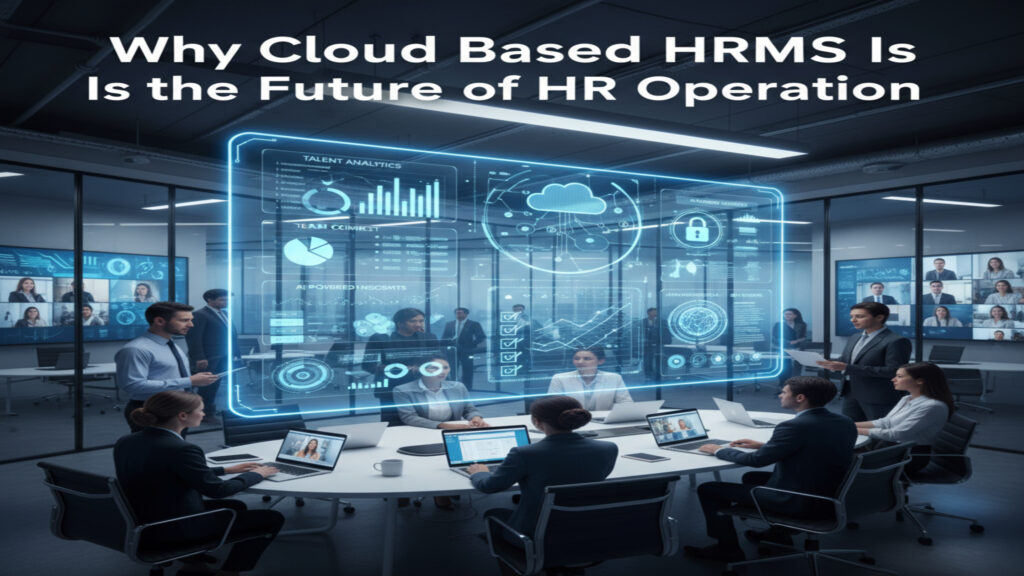
Why Cloud Based HRMS Is the Future of HR operation

Introduction In the moment’s fleetly evolving business world, associations across the United States are under growing pressure to manage their pool more efficiently. The rise of mongrel and remote work, the demand for real- time hand data, and the need for flexible systems have fully reshaped how mortal coffers brigades operate. Traditional HR systems that calculate on homemade updates or on- premise software no longer meet the dynamic requirements of ultramodern associations. This shift has led to the rise of a important invention that’s transubstantiating the HR geography cloud grounded HRMS.  A cloud grounded Human Resource Management System (HRMS) integrates every HR function into one centralized platform accessible anytime and anywhere. It eliminates specialized complications, ensures data security, improves scalability, and reduces functional costs. For U.S. companies navigating changing compliance regulations and a competitive gift request, pall grounded HRMS has come not just an option but a strategic necessity.  This composition explores why pall grounded HRMS is getting the foundation of HR operation, its major advantages, how it supports business growth, and what features define the future of HR operations in the digital age.  The Shift Toward Cloud Technology in HR : Over the past decade, U.S. businesses have moved the utmost of their core systems from counting to client operation to the pall. mortal coffers technology followed the same trend. Originally, HR systems were simple record- keeping tools. They helped track attendance, payroll, and hand details but demanded real- time perceptivity and collaboration capabilities.  With the emergence of pall computing, HR departments can now perform data- driven functions without tackle limitations. pall grounded HRMS results allow brigades to manage workers ever, update programs incontinently, and share reports securely with top operation. These systems are continuously streamlined by merchandisers, icing HR professionals always have access to the rearmost features and compliance support.  pall relinquishment has accelerated especially after the global epidemic, as U.S. companies honored the significance of remote availability. pall HRMS platforms allow HR professionals to handle reclamation, onboarding, payroll, and analytics through secure online access, perfecting durability and effectiveness indeed in distributed workplaces.  What Makes Cloud Grounded HRMS Different : Traditional HR software frequently needed heavy installation, on- point waiters, and constant IT support. In discrepancy, a pall grounded HRMS operates through the internet, hosted securely on a remote garçon. This makes it largely flexible and adaptable to a company’s evolving requirements.  Key differentiators include: Scalability : Businesses can fluently expand the system as their pool grows.  Availability : brigades can log in anytime, anywhere using any device.  Automatic updates:  merchandisers manage software upgrades and security patches automatically.  Reduced costs : There are no structure or conservation charges.  Data integration : Cloud HRMS connects seamlessly with payroll, account, and performance systems.  These advantages have made pall HRMS the favored choice for both small businesses and large enterprises in the United States.  Benefits of Cloud Based HRMS for U.S. Companies : Enhanced Availability and Inflexibility  Ultramodern workforces anticipate flexible systems that support remote and cold-blooded surroundings. pall HRMS enables HR brigades to pierce hand data from any position. Whether approving leave requests, covering attendance, or managing reclamation, HR professionals can perform tasks in real time.  workers also profit from tone- service options that allow them to view payslips, update biographies, and submit forms without depending on HR staff. This inflexibility reduces executive workload and enhances hand satisfaction.  Improved Data Security  One of the biggest misconceptions is that pall systems are less secure. In reality, estimable HRMS providers invest heavily in encryption, data redundancy, and compliance with data protection laws similar as GDPR and CCPA. For U.S. companies dealing with sensitive hand information, these systems insure that data remains defended throughmulti-layered authentication and secure access protocols.  Regular security checkups, automatic backups, and translated communication channels make pall HRMS safer than numerous traditional on- premise systems.  Cost effectiveness and ROI  Cloud HRMS eliminates the need for precious structure and homemade updates. Since everything runs on subscription- grounded models, businesses only pay for the features they use. This reduces the fiscal burden of setup, garçon conservation, and specialized staffing.  The cost savings extend to productivity earnings as HR brigades spend lower time on paperwork and further time on strategy. The return on investment becomes apparent in bettered effectiveness, reduced development, and briskly reclamation cycles.  Seamless Integration with Business Systems  ultramodern HR functions depend on collaboration between departments. pall HRMS platforms integrate fluently with tools similar as payroll operation, ERP, CRM, and time tracking systems. This unified ecosystem creates a single source of verity, allowing data to flow easily across departments and enabling leaders to make informed opinions.  Real Time Analytics and Reporting  Decision making in HR has evolved beyond gut passions. pall HRMS platforms give important analytics dashboards that transfigure hand data into practicable perceptivity. directors can track attendance patterns, dissect development rates, identify skill gaps, and cover performance trends incontinently.  Data- driven HR not only improves planning but also helps companies align pool operation with long- term business pretensions.  Driving Employee Engagement and Retention : Hand experience is at the heart of successful HR strategies. pall HRMS plays a pivotal part in perfecting engagement through tone- service access, transparent communication, and nonstop feedback mechanisms. When workers have access to their data and feel empowered to manage their information, their trust and satisfaction increase.  Features like recognition programs, performance shadowing, and palpitation checks foster a culture of appreciation and responsibility. Companies in the U.S. that borrow pall HRMS results frequently report advanced retention rates due to these engagement advancements.  Ensuring Compliance and threat operation :  Compliance remains a major concern for U.S. businesses that must cleave to labor laws, duty regulations, and data sequestration norms. pall HRMS simplifies compliance by automating policy updates and record keeping. Systems can be configured to track nonsupervisory changes, induce accurate reports, and insure that every process  from hiring to termination follows legal guidelines.  erected- in inspection trails and interpretation control features help HR brigades demonstrate compliance during examinations, minimizing threat and legal exposure.  How Cloud

Scroll to Top